A tour of the studio
On this page
The video above walks through the whole studio on a real Pega Infinity 26.1 application (the DIY Recipe Tracker), from a hand-built Pega screen to a redesigned case type running in Pega. Short of time? The seven clips below show each part in a few seconds. Each clip loops; its caption says what is happening. For the full story with every step explained, read the tutorial.
1. Design a screen
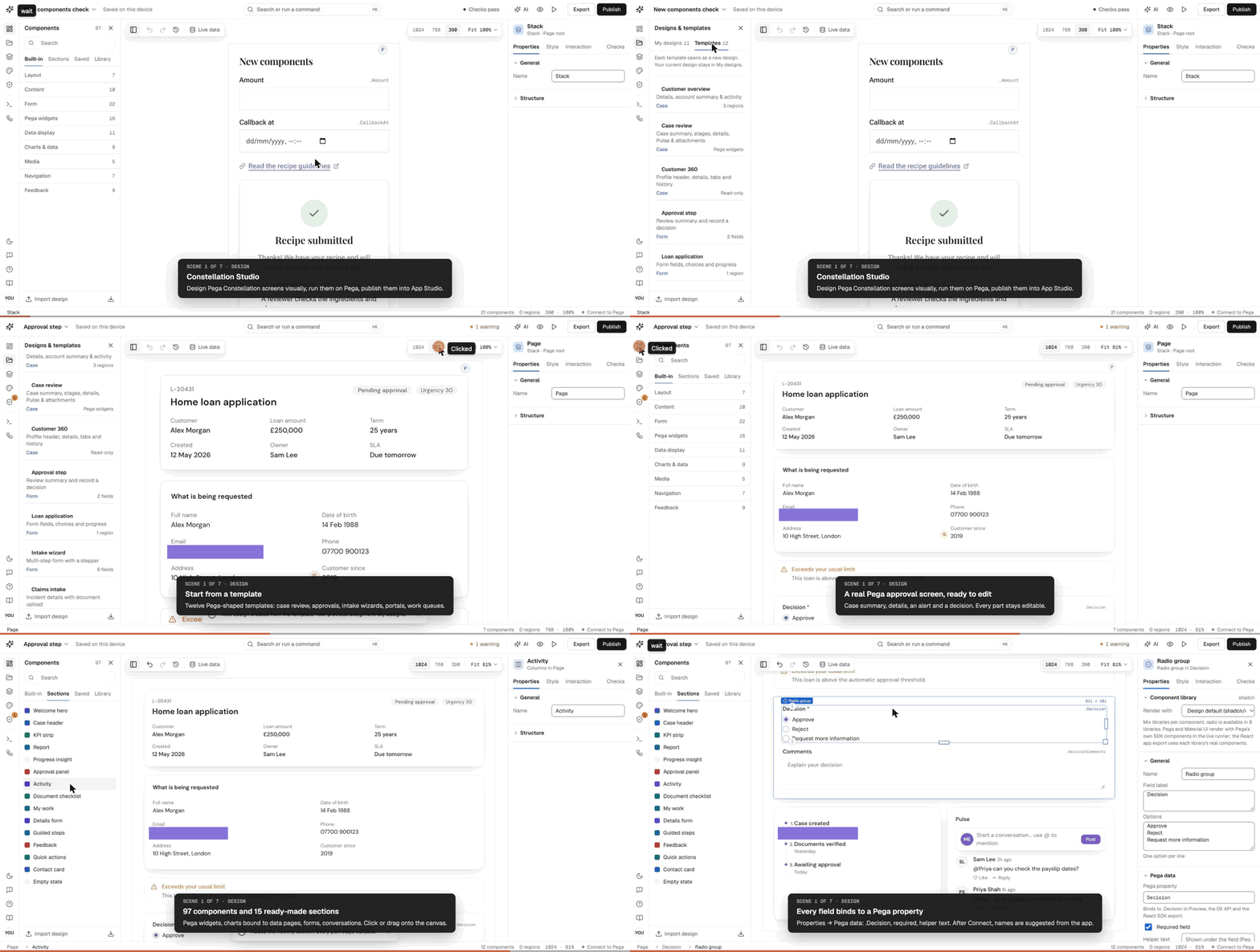
Start from a template, add a ready-made section from the gallery, and bind each field to its Pega property: the
.Property label on the canvas shows what every field reads and writes.
2. Look, checks and preview
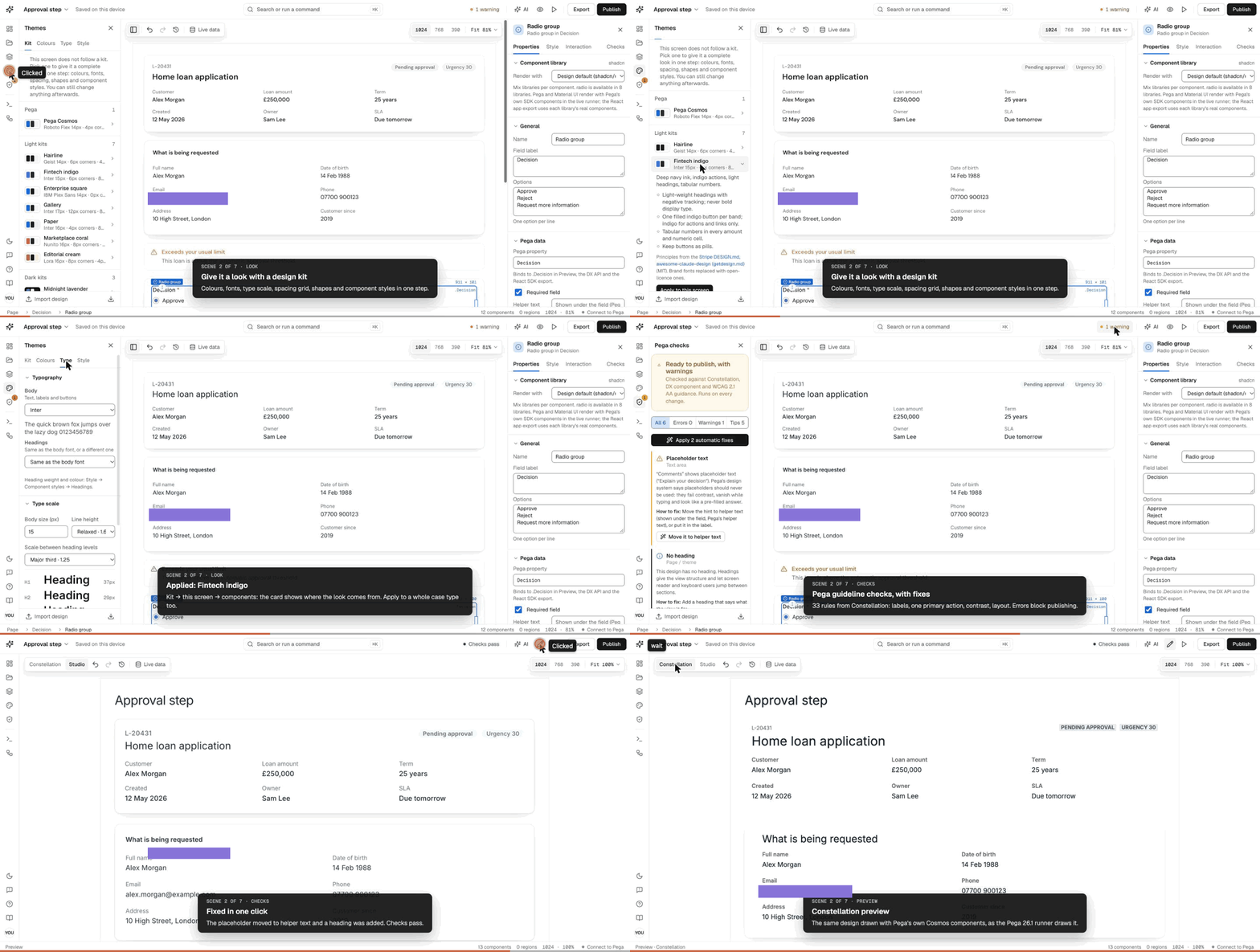
Apply a design kit (colours, fonts, type scale and spacing in one go), let the Pega guideline checks find problems and fix them with one click, then see the screen drawn with Pega's own Constellation components.
3. A whole case type
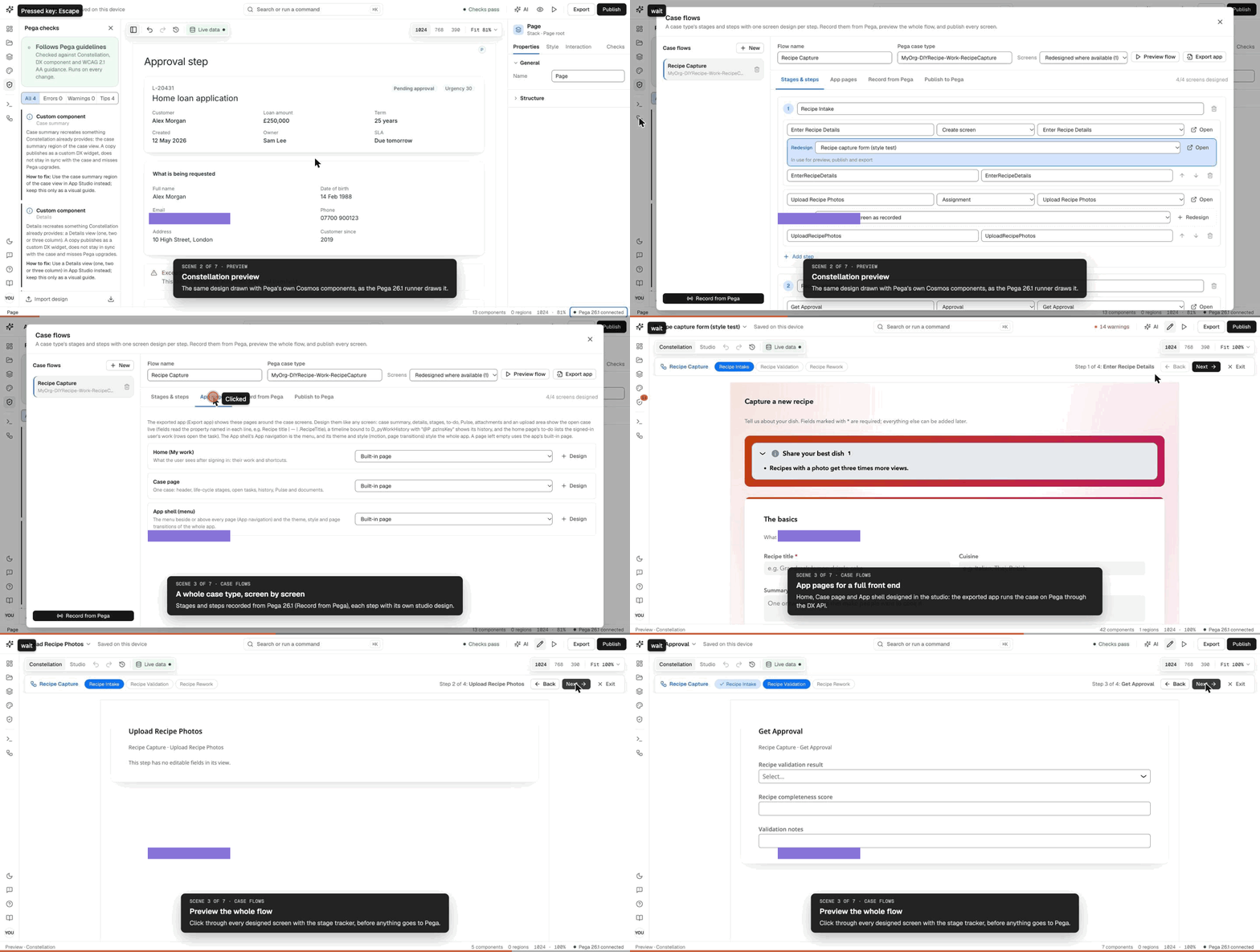
Record from Pega walks a real case through Pega and keeps one screen per step, with the stages named as in Pega. Design the app pages (home, case page, menu) and preview the whole flow.
4. Run a real case on Pega
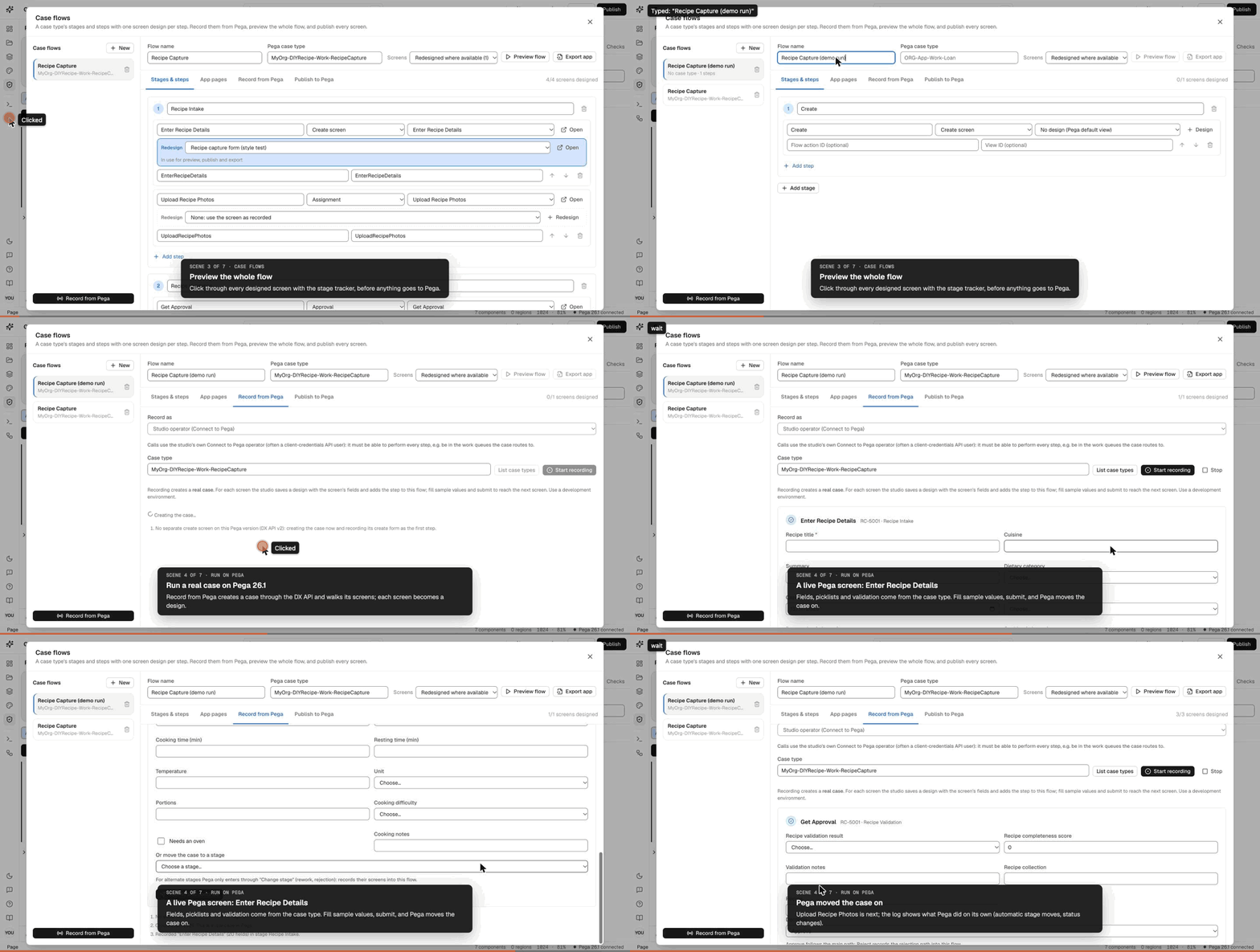
The designed screens drive a real case through the DX API: fill in a step, submit, and Pega moves the case on to its next assignment.
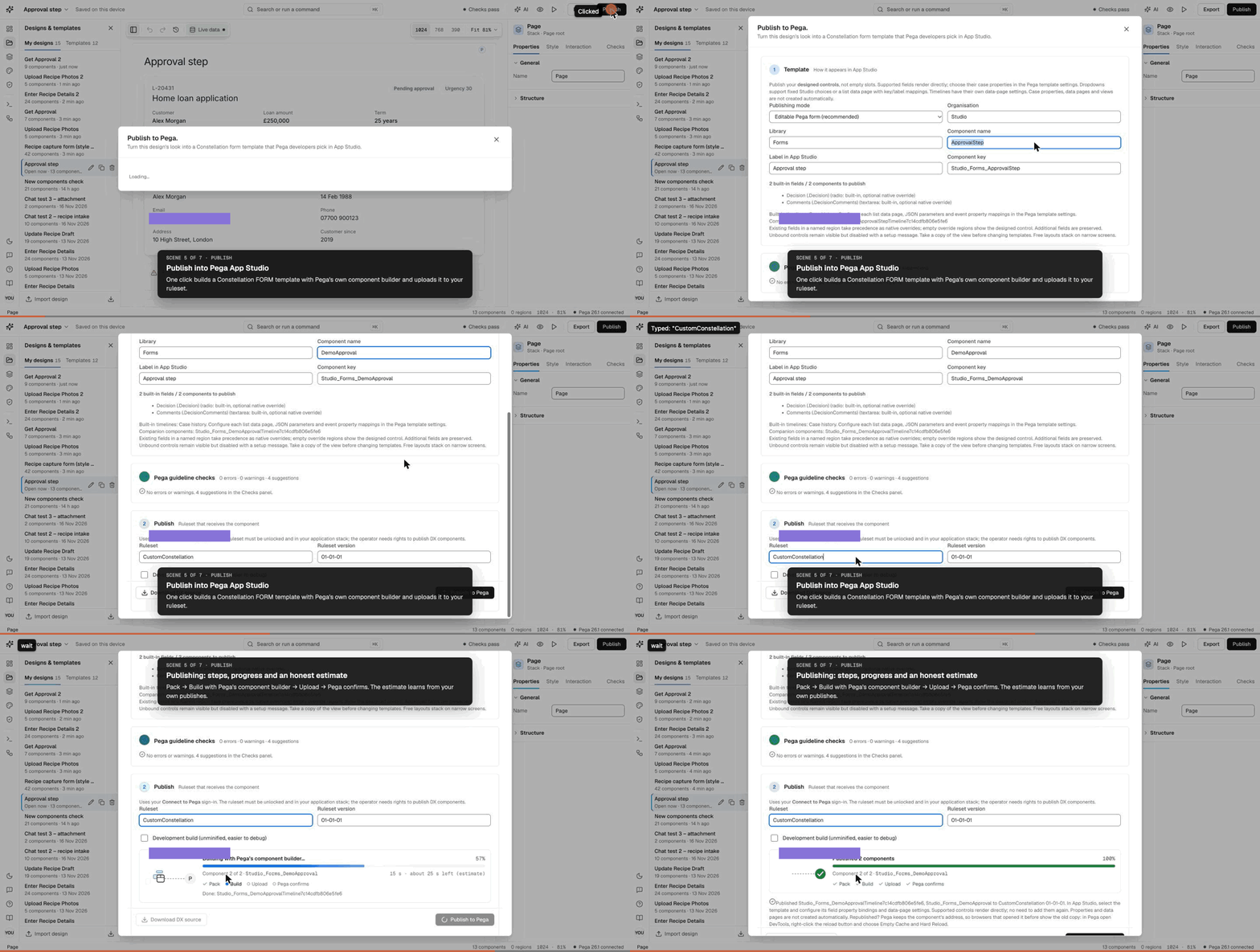
5. Publish to Pega
Publish builds the design with Pega's own component builder and uploads it to your ruleset. The progress panel shows each step (pack, build, upload, Pega confirms) and an estimate that learns from your own publishes.
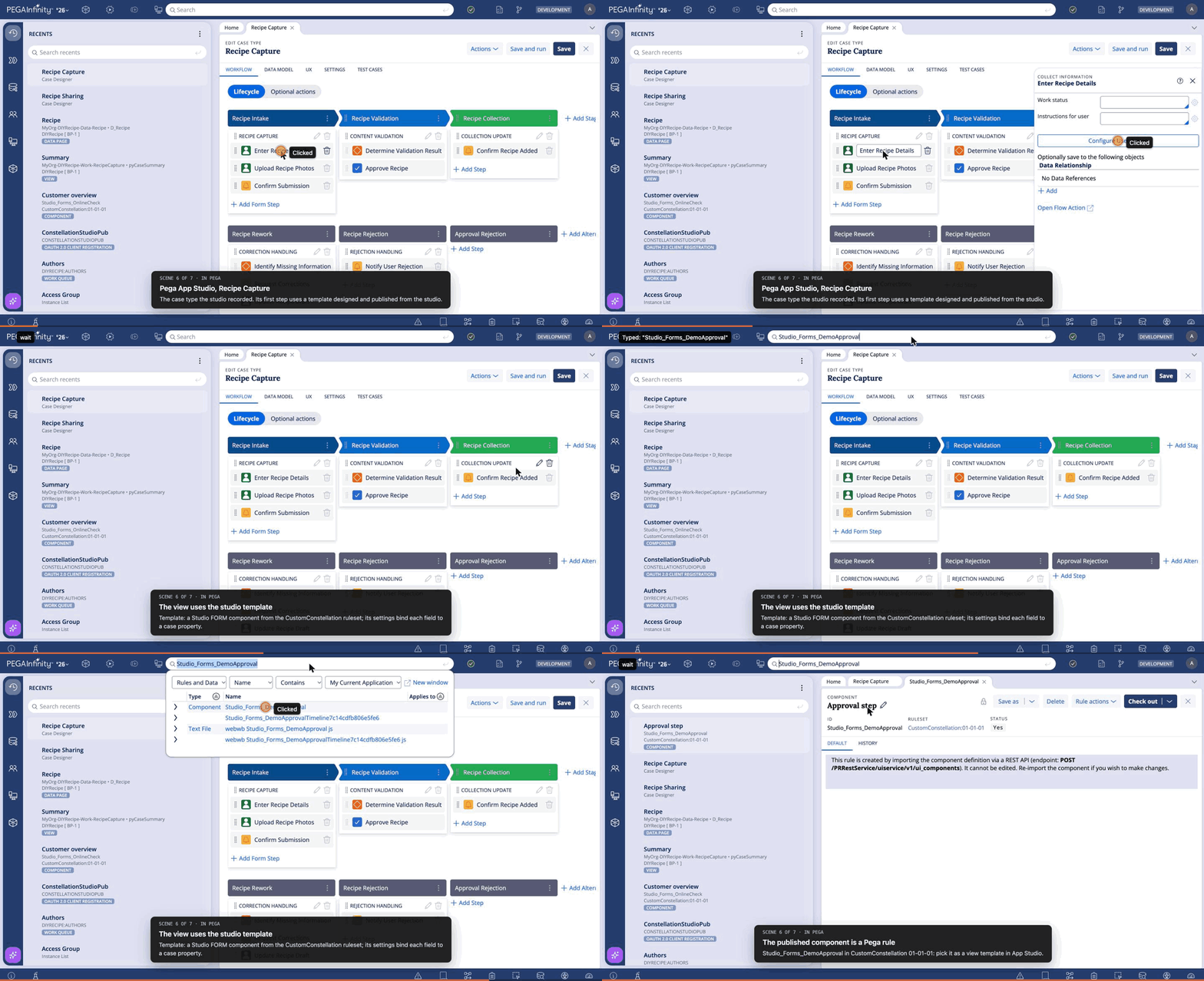
6. In Pega App Studio
The published components are ordinary Pega rules in your ruleset, ready to pick as a view's template.
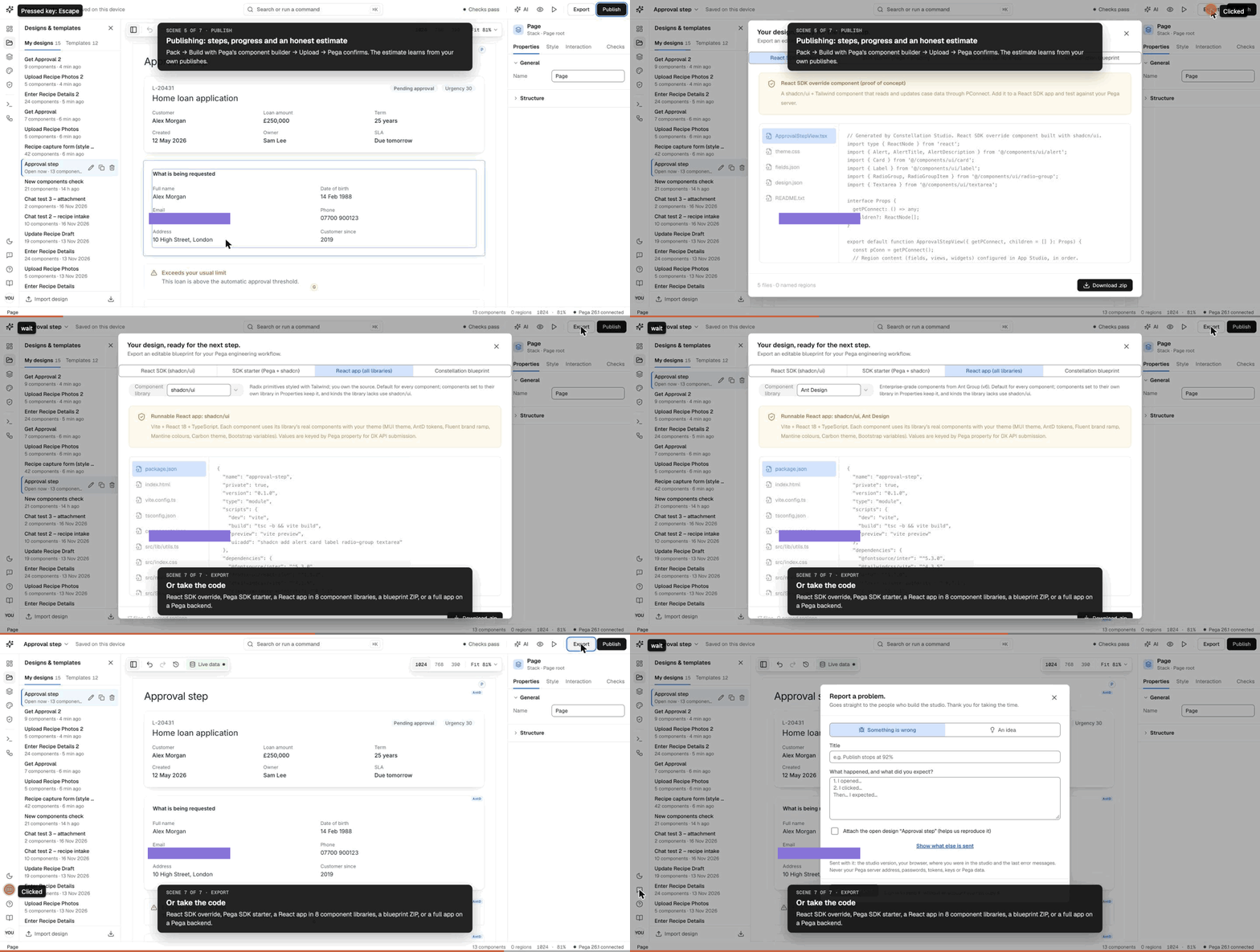
7. Take the code, tell us what's missing
Export a React app in any of eight component libraries, the Pega SDK starter or a blueprint. Found a problem or have an idea? Report a problem sends it to the team with what they need, and you see its status in the studio.
Next
- Getting started: sign in and connect to your Pega server.
- Tutorial: a Pega developer's story: every chapter explained, with what happens in Pega.
- Tutorial: a whole app on Pega: the app pages and the exported app.