Tutorial: a Pega developer's story, from App Studio to a finished app
On this page
This tutorial is written for the person who owns the Pega application. It follows Sam, a Pega developer, through a few weeks of making the DIY Recipe Tracker better. It's a real Pega Infinity 26.1 application. Its main case type, Recipe Capture, takes a recipe from a cook, routes it for approval and publishes it.
Sam knows Pega well: case types, flow actions, views, data pages, rulesets, App Studio. What Sam doesn't have is a
front-end developer, or a week to spend on npx @pega/custom-dx-components. Priya, a designer, helps along the way.
The cooks are the people who use the app.
(Sam and Priya are made up for the story. The application, the cases, the rules and every screenshot are real.)
Each chapter has:
- a short scene from Sam's week;
- Why, What and How;
- Before: how a Pega developer would do it today without the studio;
- Under the hood: what the studio actually does in Pega terms, so you can trust it.
| Chapter | Sam gets to |
|---|---|
| Prologue | See the problem every Constellation team hits |
| 1. Getting in | Bring the team in, nothing to install |
| 2. A first screen | Watch a screen designed against Pega's own rules |
| 3. Connecting to Pega | Point the studio at the dev server |
| 4. Seeing it as Pega would | See the design drawn by Cosmos, not a mock-up |
| 5. Recording the real process | Capture every screen of the case type from a real case |
| 6. Redesigning the flow | Review the whole life cycle without touching Pega |
| 7. Real data | Bind screens to data pages, live |
| 8. A real case before publishing | Try it in Pega's own React SDK first |
| 9. Putting it into Pega | Publish a view template, a Field and a Widget into a ruleset |
| 10. A whole app on Pega | Ship a separate front end with Pega still running the case |
| 11. Designing with AI | Start new screens from a sentence, within Pega's rules |
| 12. Other ways out | Hand code to another team |
| 13. Working as a team | Work in parallel without losing anything |
| Epilogue | What was proven on a real server, and the limits |
Prologue: the afternoon that wasn't enough
Sam built Recipe Capture in App Studio in an afternoon: three stages, a create form, an upload step, an approval routed to the Authors work queue, a rework path. Constellation drew every screen; none needed code. Two weeks later the cooks are unhappy. The first screen is one long, plain form, and nobody understands why the photo matters. Priya has a sketch. Sam knows exactly what it would cost to build.
Before. A screen that Constellation's view templates can't express means a custom DX component:
npx @pega/custom-dx-components init, then pick versions that match the server;- write
index.tsx,config.jsonand agetPConnectmock; - wire each field to
getActionsApi().updateFieldValue; - test it in Storybook;
- publish to a ruleset;
- select the template on the view;
- repeat for every design change.
It's real front-end work, and every change Priya wants goes back through it.
Constellation Studio takes that loop away while staying inside Pega's rules:
- It produces real Pega artefacts. View templates, Fields and Widgets are built with Pega's own DX Component Builder and published to your ruleset through the same publish service Pega's own tooling uses.
- It speaks Pega. Fields bind to case properties. Data components bind to data pages. Everything else goes through the DX API v2.
- It respects Constellation. The preview uses Cosmos. Pega's design guidelines are checked as you work. Pega still runs the case: stages, routing, validation, SLAs and history stay in your rules.
It is not a Pega product. It works with standard Infinity 25.1 and 26.1 servers.
1. Getting in
Monday. Sam opens https://constellation-studio.vercel.app, creates a team called Recipe Tracker and invites Priya as a Developer. She creates her account with that address and joins.
Why. The whole team should work on the same designs, from any machine.
What. An online studio anyone can sign up for, with personal and team spaces. Work is saved to the space as you go.
How.
- Create account with your email address and a password (no email is sent: the account is ready at once).
- Account (your initials at the bottom of the left rail) → create a team → invite people as Owner, Developer or Viewer → Copy invitation and send it yourself.
- Pick the space at the top of Designs.
Before: a Node toolchain on every developer's machine, the DX component project in Git, and matching versions on each laptop.
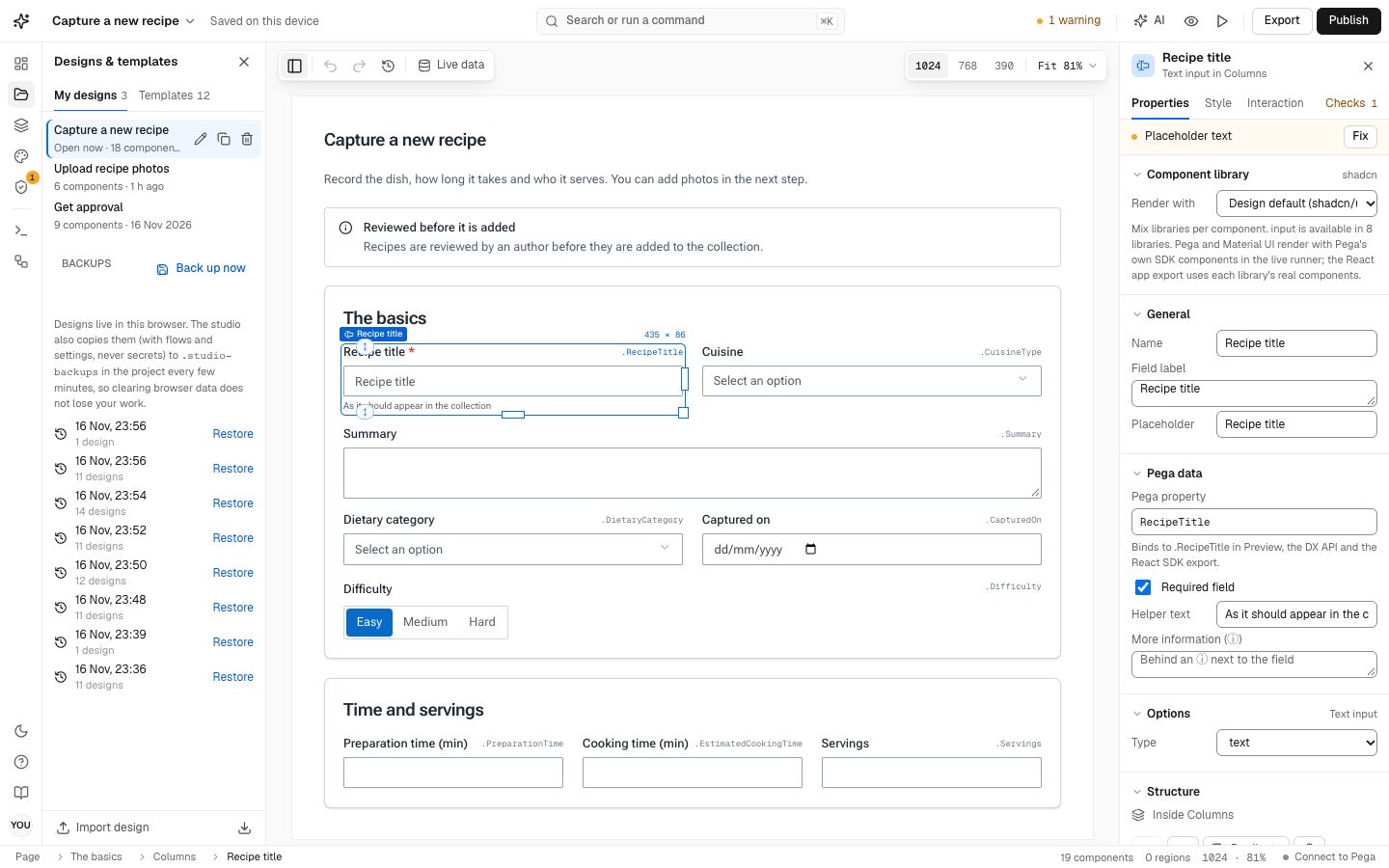
Details: The online studio.
2. A first screen
Priya starts with the screen the cooks complain about: Enter Recipe Details. Sam watches over her shoulder, mostly to see whether she'll design something Constellation would never allow.
Why. Agree on the screen before anyone touches a rule.
What. A canvas with 90 components, Pega's case widgets among them (case summary, stages, to-do, Pulse, attachments, details, related cases). Also 15 ready-made sections, 12 templates, 20 themes and style settings, and 33 checks taken from Pega's own guidelines.
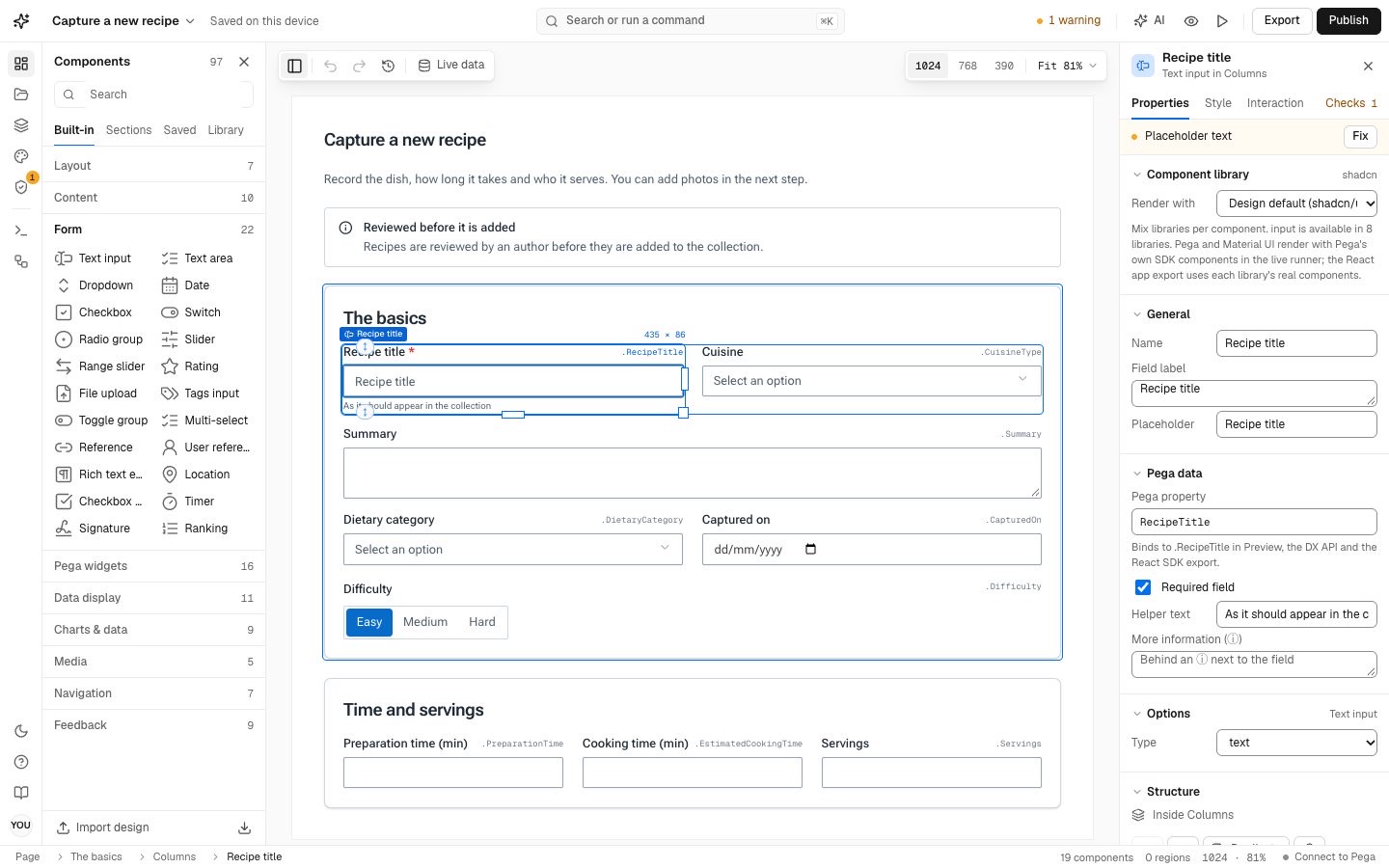
How.
- Start from a template or a blank design. Drag components in, or add a whole Section (case header, KPI strip, approval panel, activity feed).
- Rows of columns wrap on smaller screens. Switch the artboard between 1024, 768 and 390 pixels.
- Select a component and edit it in Properties, including its Pega property.
- Themes for the look: pick a design kit (a complete look in one step), then fine-tune Colours, Type and Style (spacing, shapes, surfaces, motion, component styles). Interaction for hover, entrance, tooltips, and showing per screen size.
- Checks runs the rules. Most findings have a one-click fix.
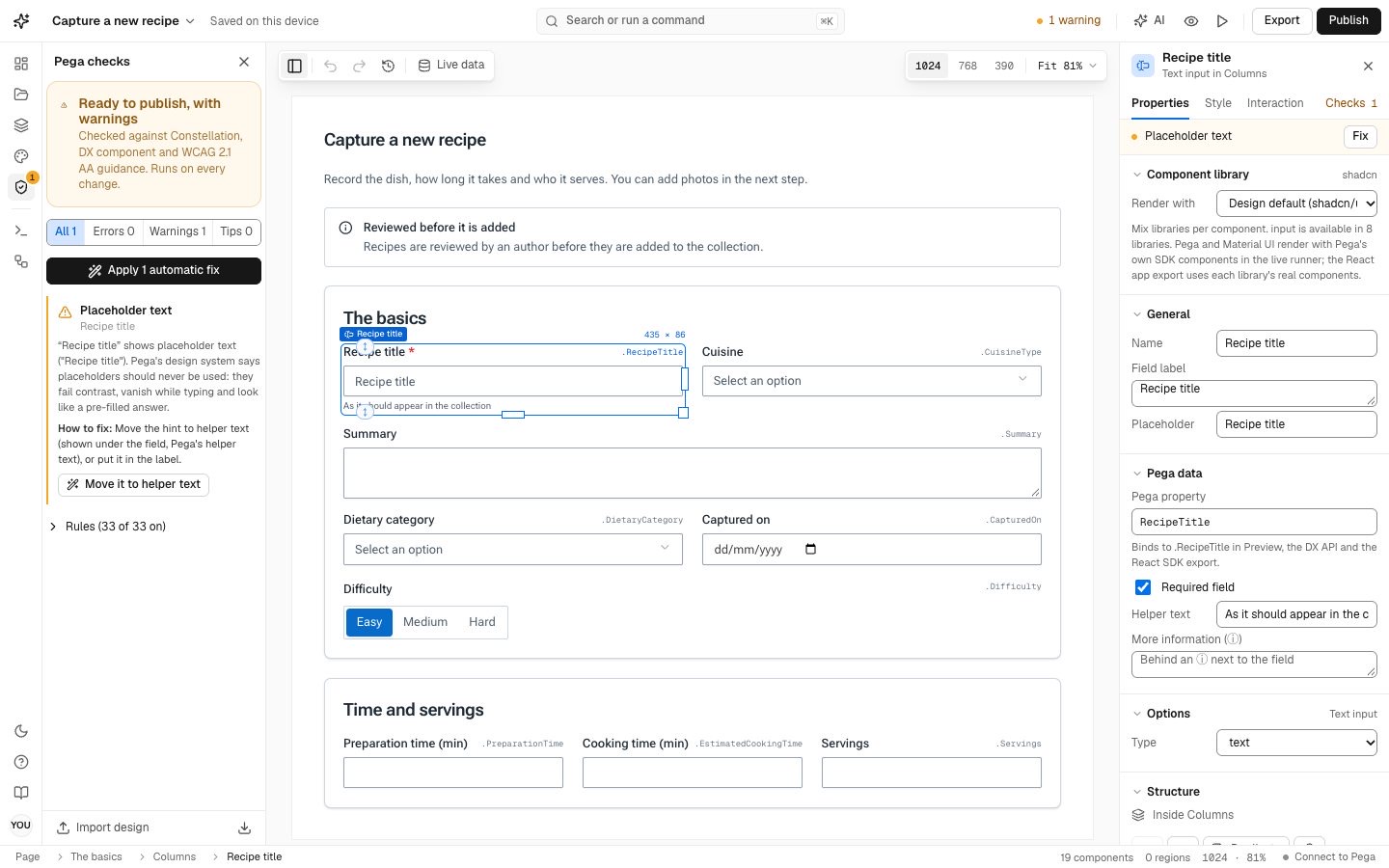
The checks warn about a "Long form": more than 15 fields in one view, the advice Pega gives too. They also flag her Approve and Reject buttons on another screen, because in Constellation that decision belongs to the flow action, not to custom buttons. Sam relaxes.
Under the hood: the rules cover what makes a custom component behave in Constellation. Every field needs a label and a valid property name. Choice fields need options. Layouts should be at most three columns and not deeply nested. Custom submit buttons belong to the flow action. A look-alike of a built-in widget is pointed back to the real one. Text must pass WCAG 2.1 AA contrast. Errors block publishing until they're fixed or overridden.
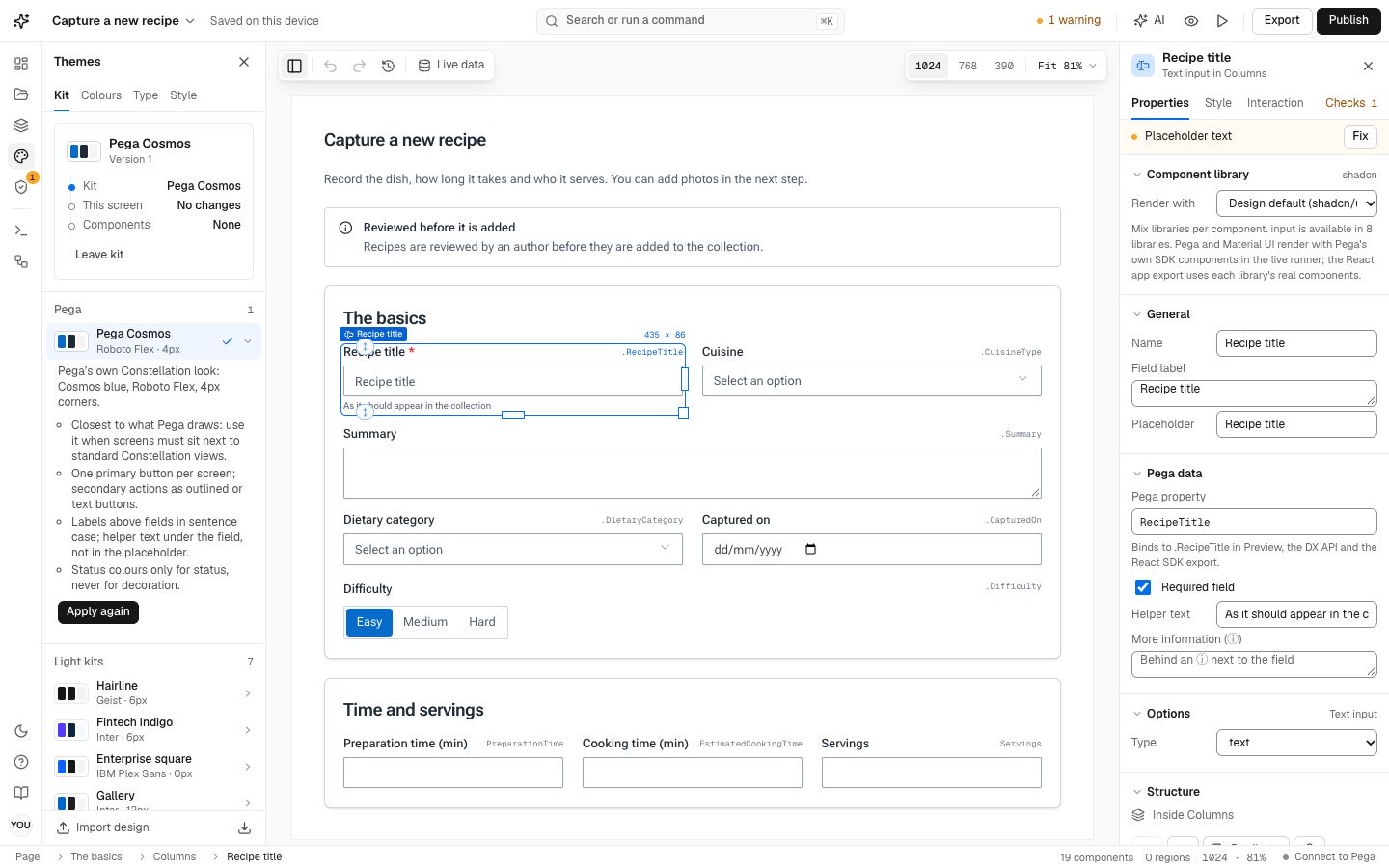
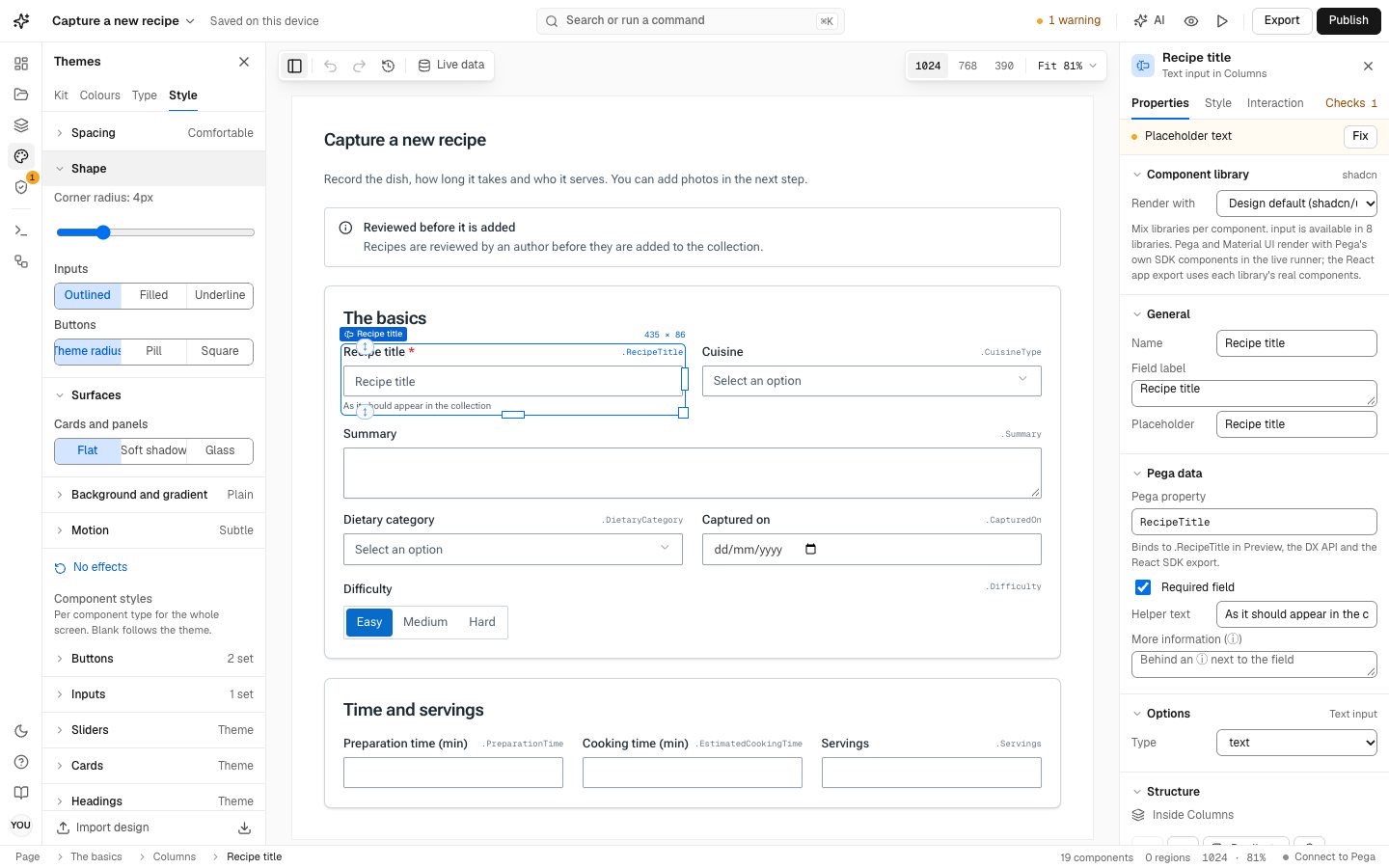
⌘K (Ctrl+K) finds any action, section or layer. Every component is described in the Component reference; the canvas in Designing screens.
3. Connecting to Pega
Priya's fields say "Recipe title" and "Cuisine". Pega knows them as .RecipeTitle and .CuisineType. Sam connects
the studio to the development server.
Why. A screen for Pega must use your real properties, case types and data pages.
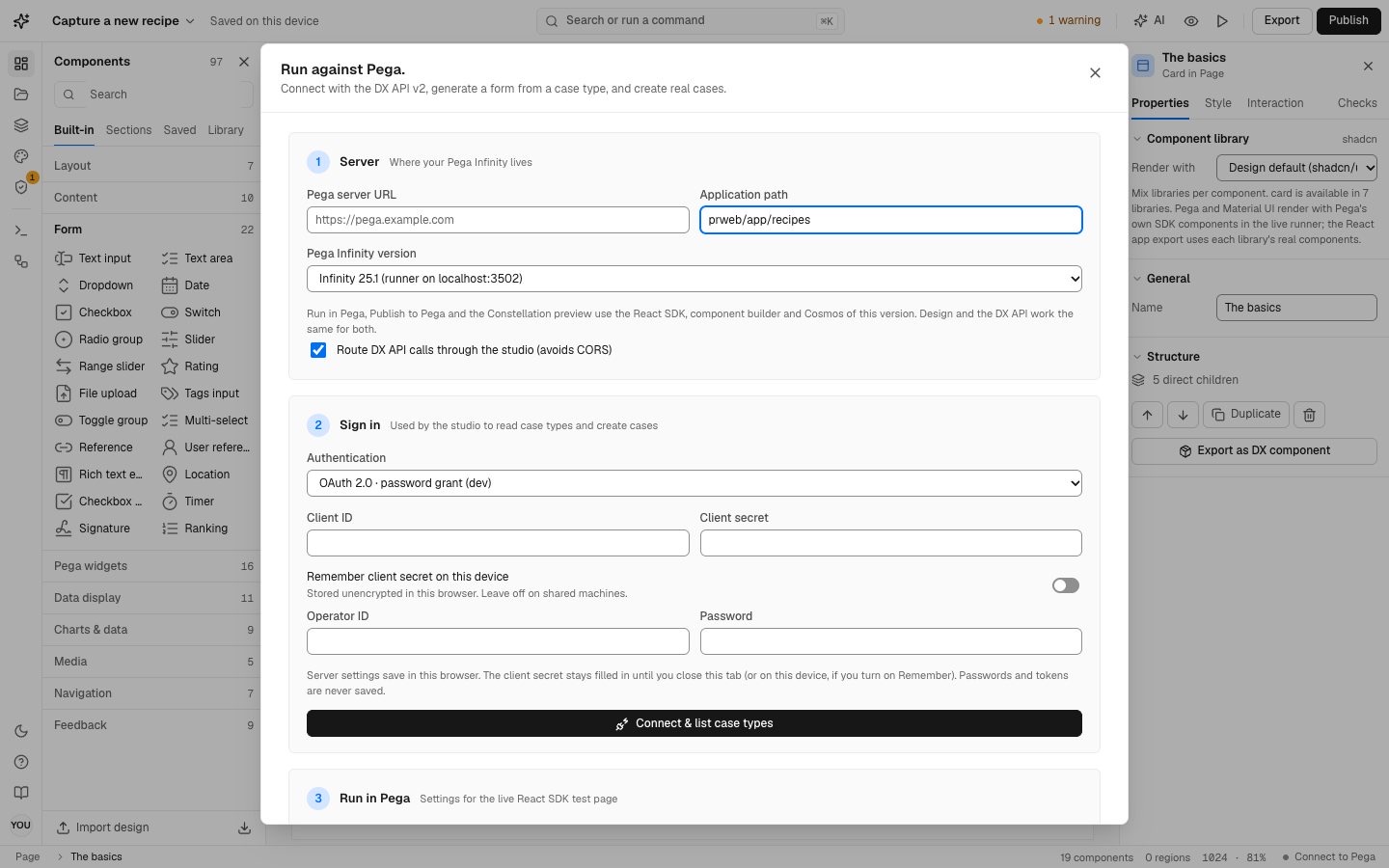
What. Connect to Pega talks to your server through the DX API v2. It lists your case types and then suggests your properties and data pages wherever you type one.
How.
- Server: the server URL, the application path (
/prweb/app/diy-recipe-tracker) and the Infinity version (25.1 or 26.1). - Sign in: a confidential OAuth 2.0 client (client credentials).
- Run in Pega: the application alias and a public OAuth client (authorization code + PKCE) for people signing in (chapter 8).
- Connect & list case types.
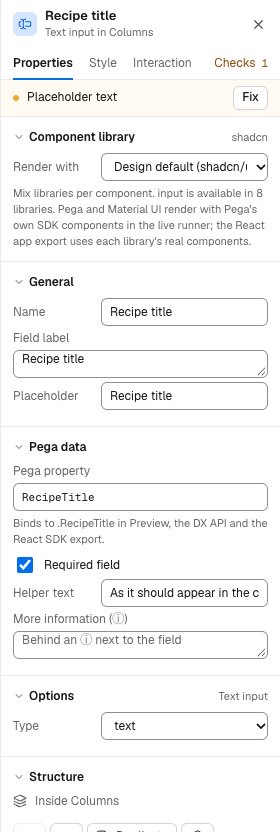
Under the hood: after connecting, the studio reads each case type's
D_<CaseType>Listmetadata and itscasetypes/{ID}/actions/Createform, collecting property names, labels, types, picklist values and referenced data pages. These are read-only GETs. The Infinity version decides the Cosmos, React and component-builder versions used everywhere else.
What Pega needs: Pega-side setup.
4. Seeing it as Pega would
"It looks nice," says Sam, "but what will Pega make of it?"
Why. A mock-up that Pega can't reproduce is a promise nobody can keep.
What. Preview → Constellation draws the design with Cosmos, the component library Constellation is built from, at the version of your Infinity release. Fields, tables, case widgets, Pulse, charts, the gauge, calendar, carousel, video, map, ranges, related cases and the app menu all use Cosmos parts and the Cosmos palette.
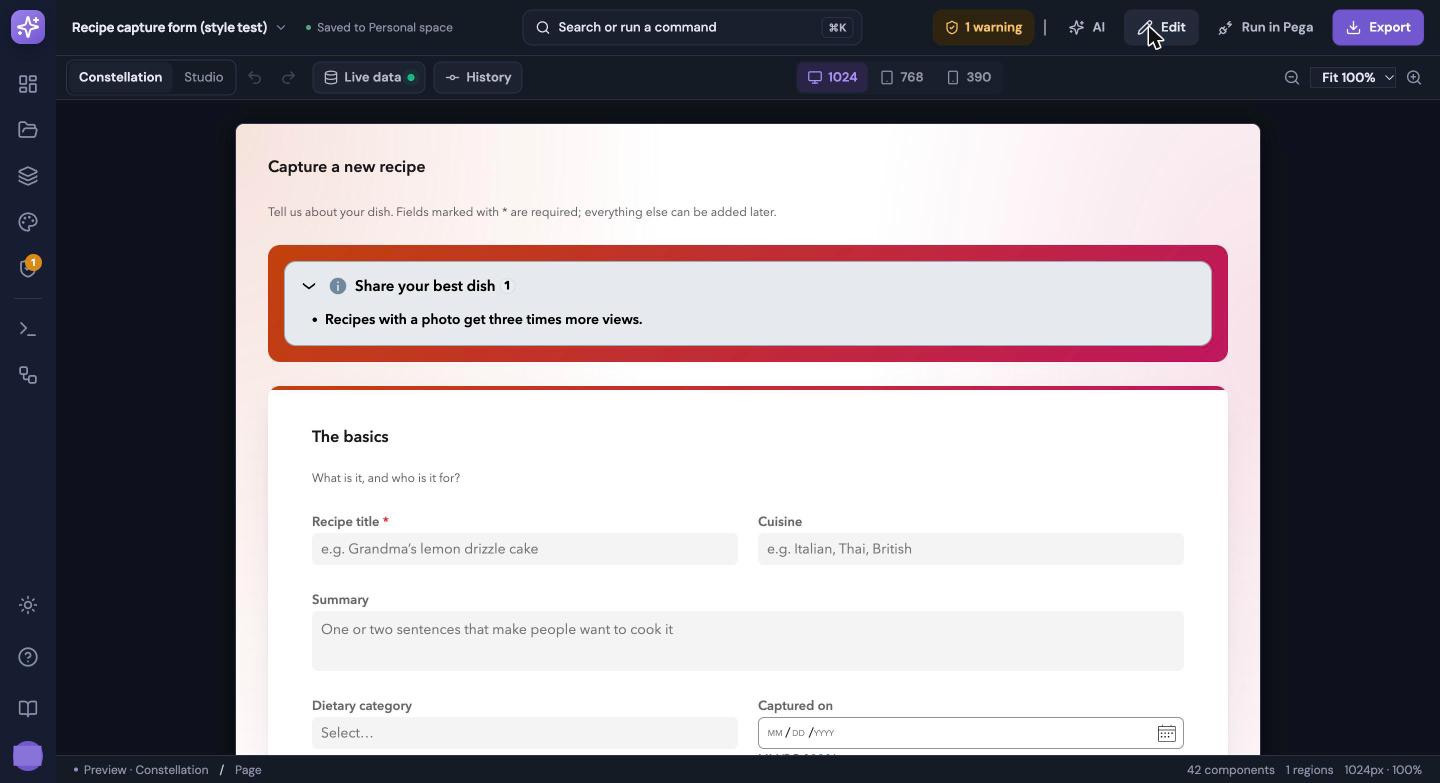
Priya's coloured banner becomes a Pega banner, and her inputs become Pega inputs. Sam nods.
How. Preview in the top bar → Constellation or Studio, on desktop, tablet or phone.
Under the hood: the preview runs in the runner for your Infinity version, a separate app built with the same
@pega/cosmos-react-coreand@pega/cosmos-react-workversions your server ships. The design is passed to it from your browser; nothing is stored on a server.
5. Recording the real process
Recipe Capture has more screens than anyone remembers: the create form, Upload Recipe Photos, the approval, a rework step, alternate stages, things Pega does on its own. Sam doesn't want to redraw them from memory.
Why. A redesign that drifts from the real flow breaks on the first real case.
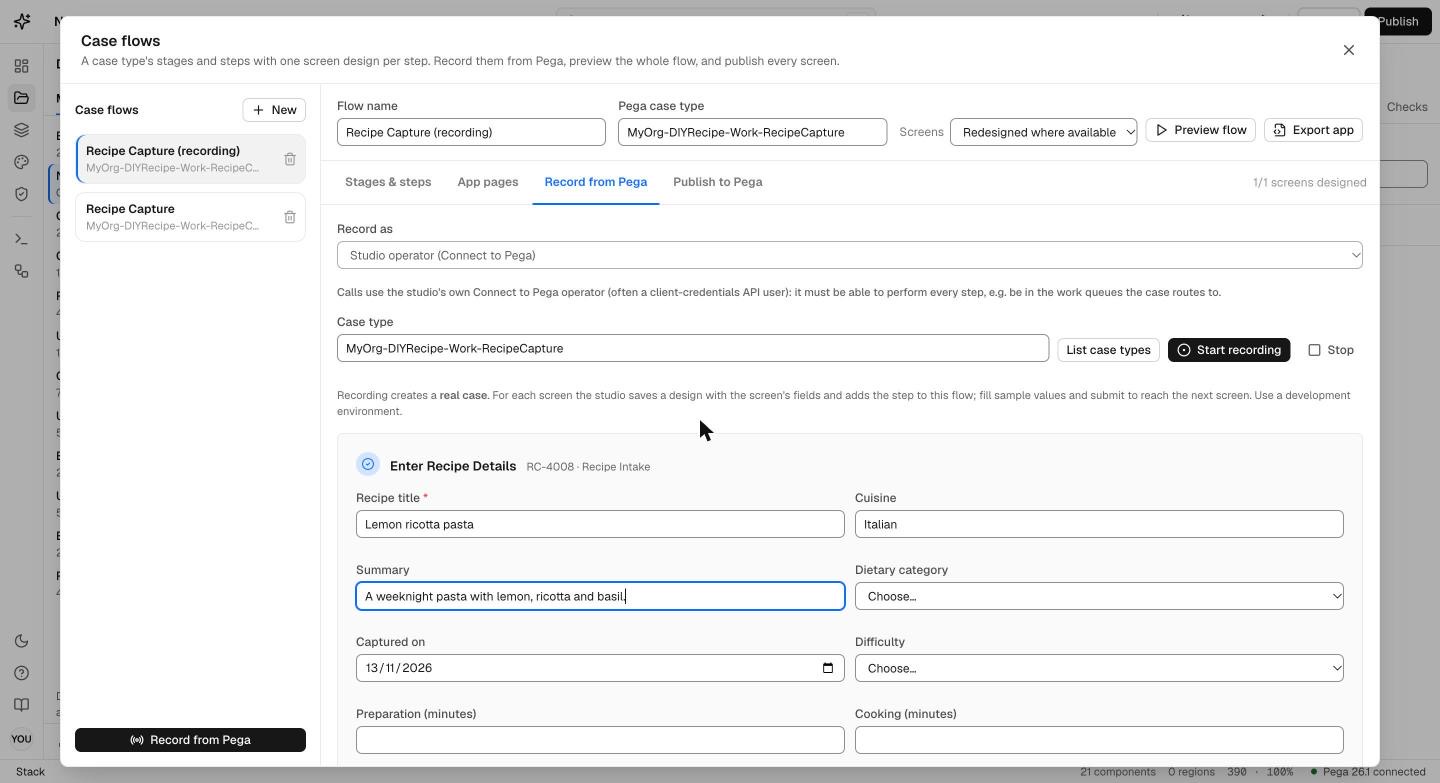
What. Record from Pega creates a real case and walks it. Each screen Pega serves becomes a design with its real fields in Pega's order, filed under the case type's real stages in a case flow.
How.
- Case flows → new flow → enter the case type → Record from Pega.
- Record as: the studio operator, or you, signed in through the runner, so your access group, work queues and routing apply.
- Start recording. Fill in sample values and press Submit and continue, screen by screen.
Sam watches the log fill up.
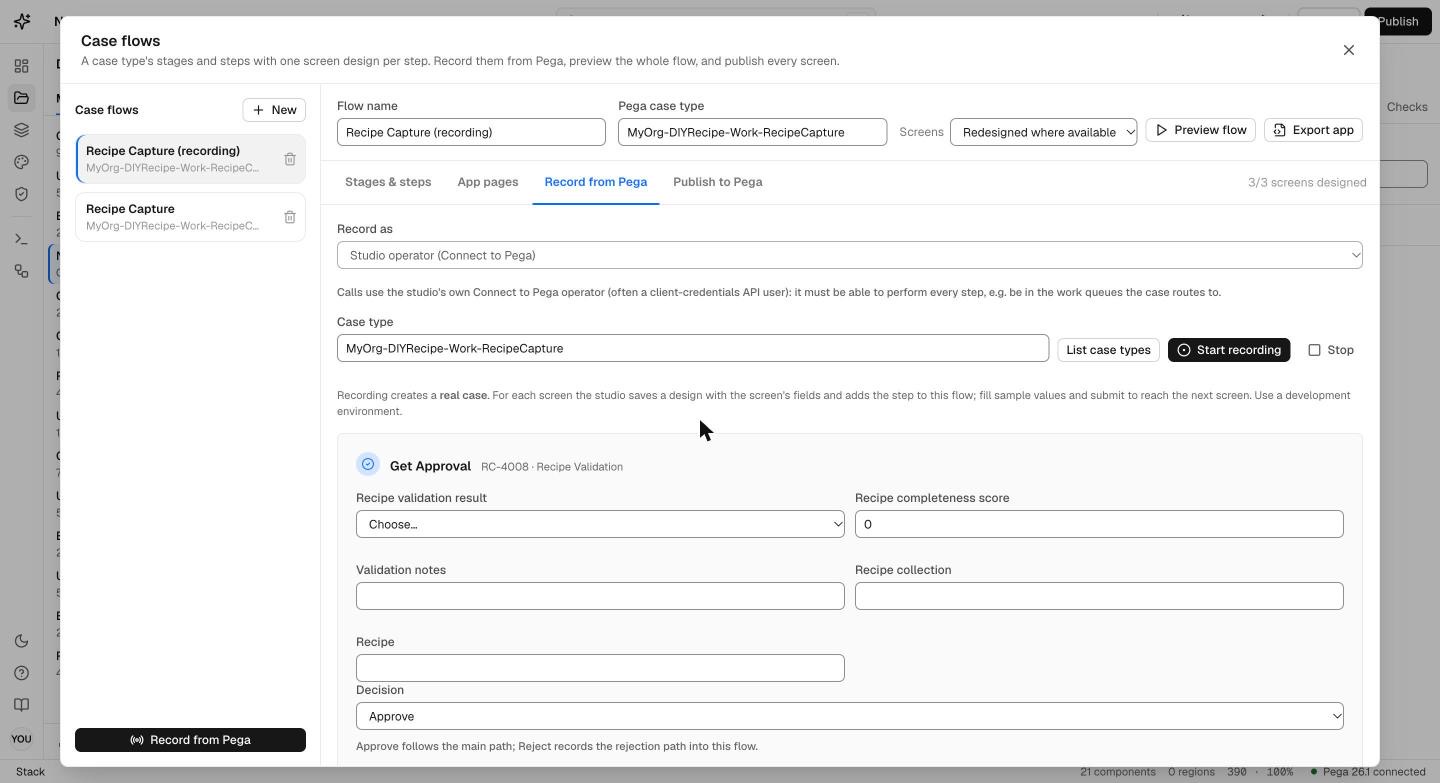
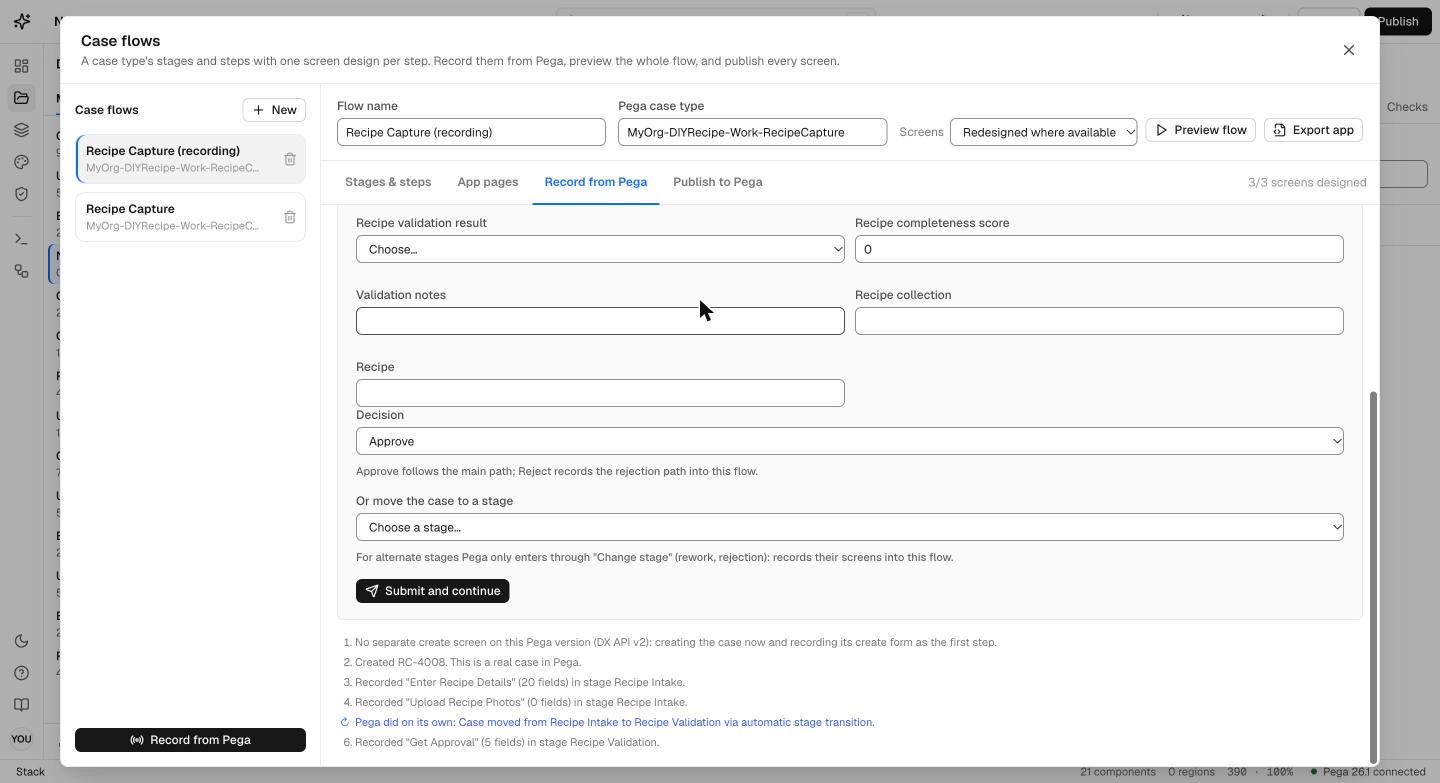
- Approvals get a Decision; Reject records the rejection path too.
- Or move the case to a stage reaches alternate stages (rework, rejection).
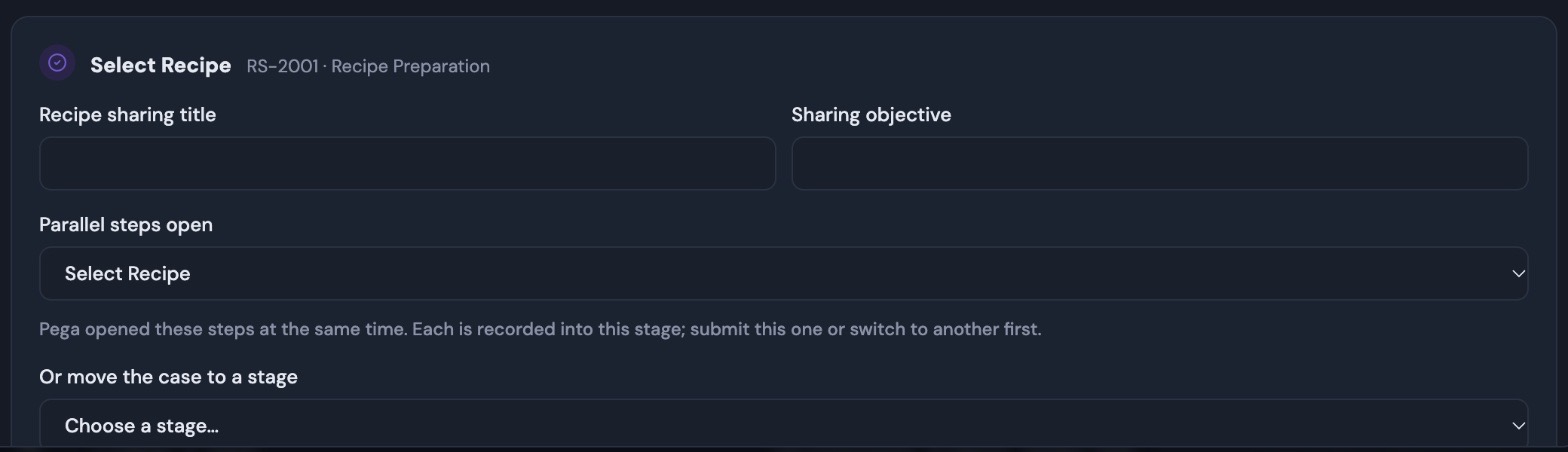
- Parallel processes are listed under Parallel steps open, and each branch is recorded into the same stage.
- The log reports what Pega did on its own (automatic stage changes, status changes, correspondence) and why recording stopped: resolved, waiting in another work queue, or a flow problem.
Before: open each view in App Studio, write down its fields, and hope you didn't miss a branch.
Under the hood:
- Recording uses plain DX API v2.
POST casescreates the case, then for each stepGETthe assignment action's form andPATCHit with the case'seTagasIf-Match.- Approvals send
pyApprovalResult. Stage jumps arePUT cases/{ID}/stages/{stageID}(Pega's "Change stage").- "What Pega did" comes from
D_pyWorkHistory. A…!FLOWPROBLEMSassignment stops the recording with a reason.- The waiting panel reads
assigneeInfo(for example a work queue) and the operator'scanPerform.
More: Case flows and recording.
6. Redesigning the flow
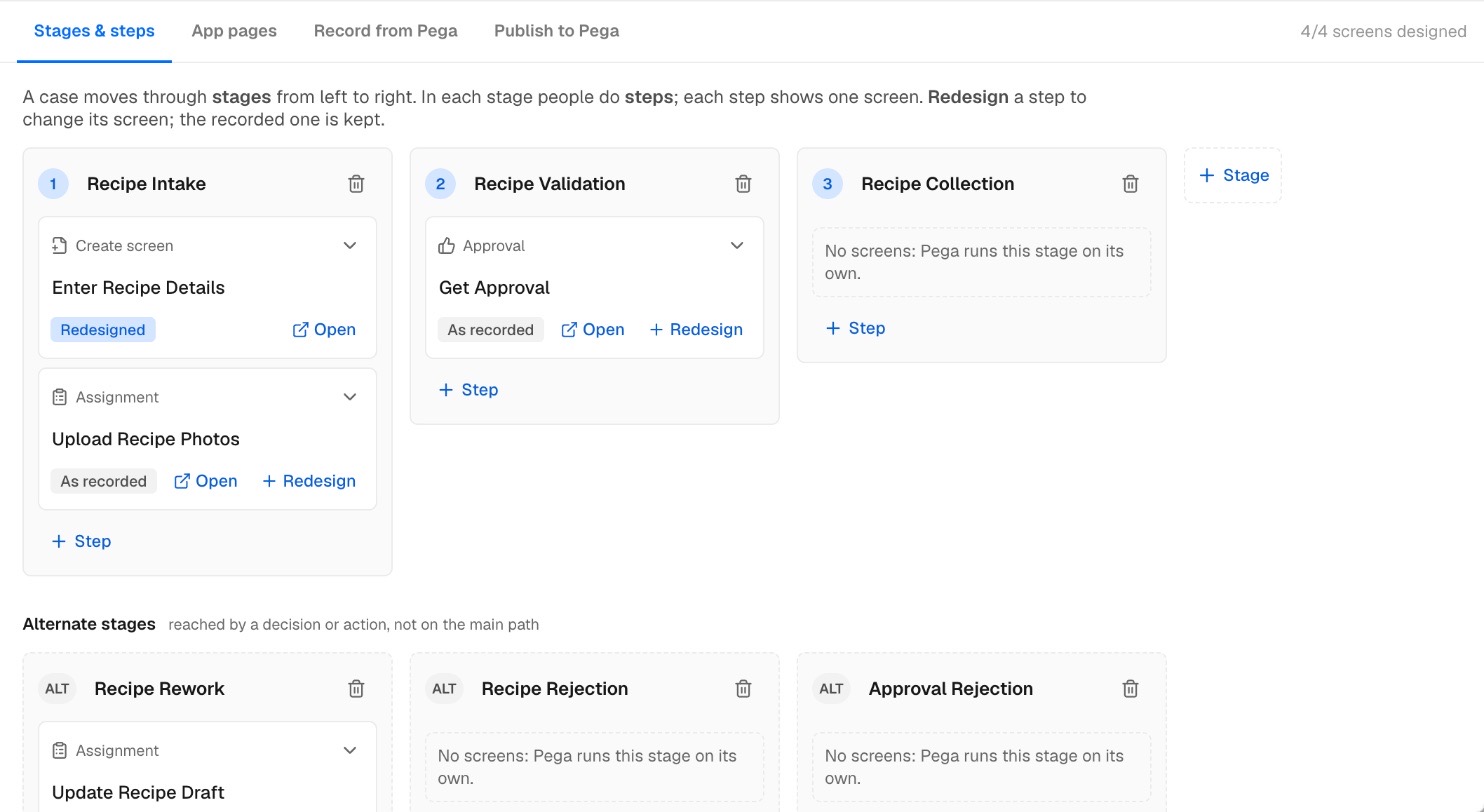
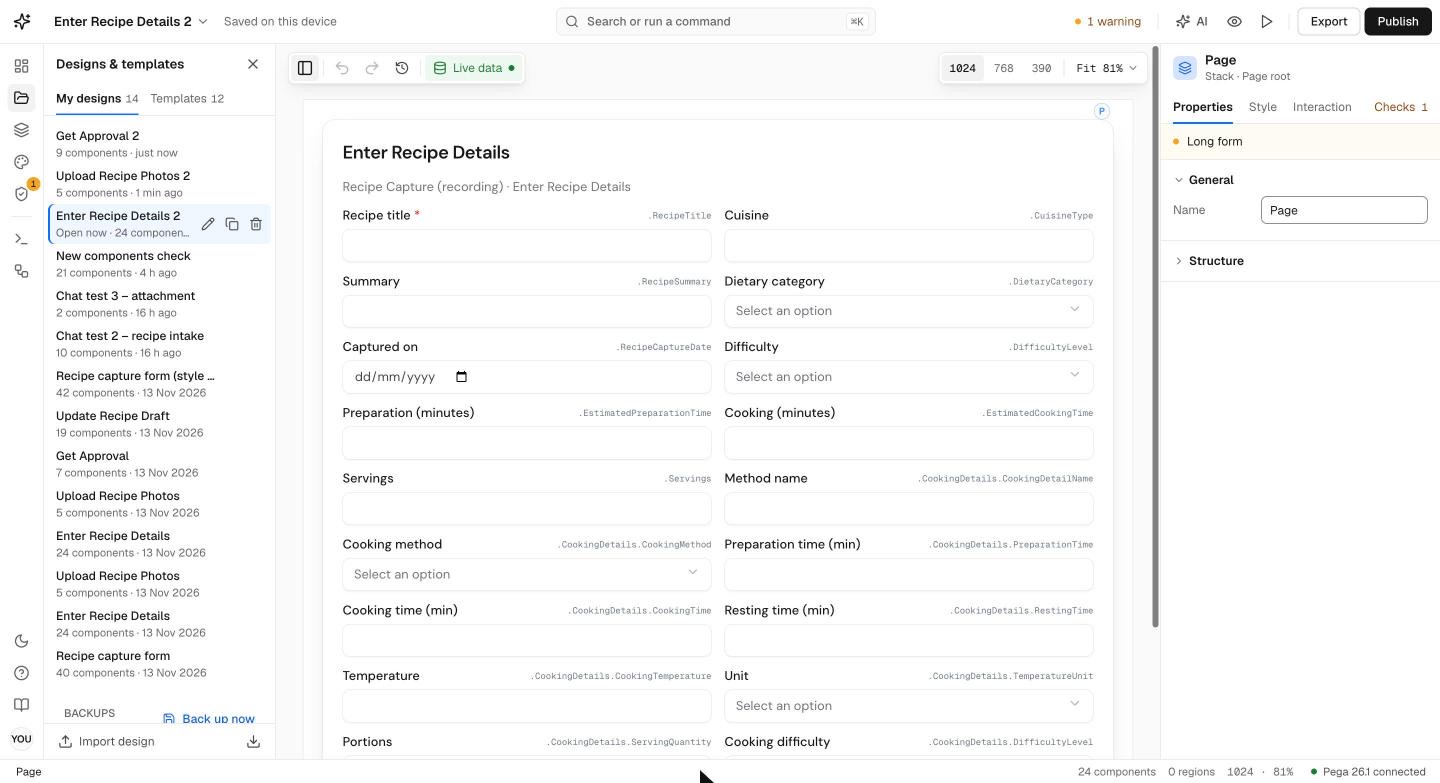
Priya redesigns Enter Recipe Details and leaves the approval screen as Pega drew it. On Friday the team reviews the whole life cycle on a projector.
Why. Change what the cooks see most, keep everything Pega asks for, and review it all before anything is deployed.
What. Each step keeps its recorded screen and can have a redesign. Preview flow clicks through every stage and step in the studio, without Pega.
How.
- Redesign on a step copies the recorded screen into a new design. The recorded one stays.
- Screens: Redesigned where available or As recorded decides what preview, publish and export use.
- Preview flow: Next and Back follow the stages, alternate stages included.
| As recorded | Redesigned |
|---|---|
 |
|
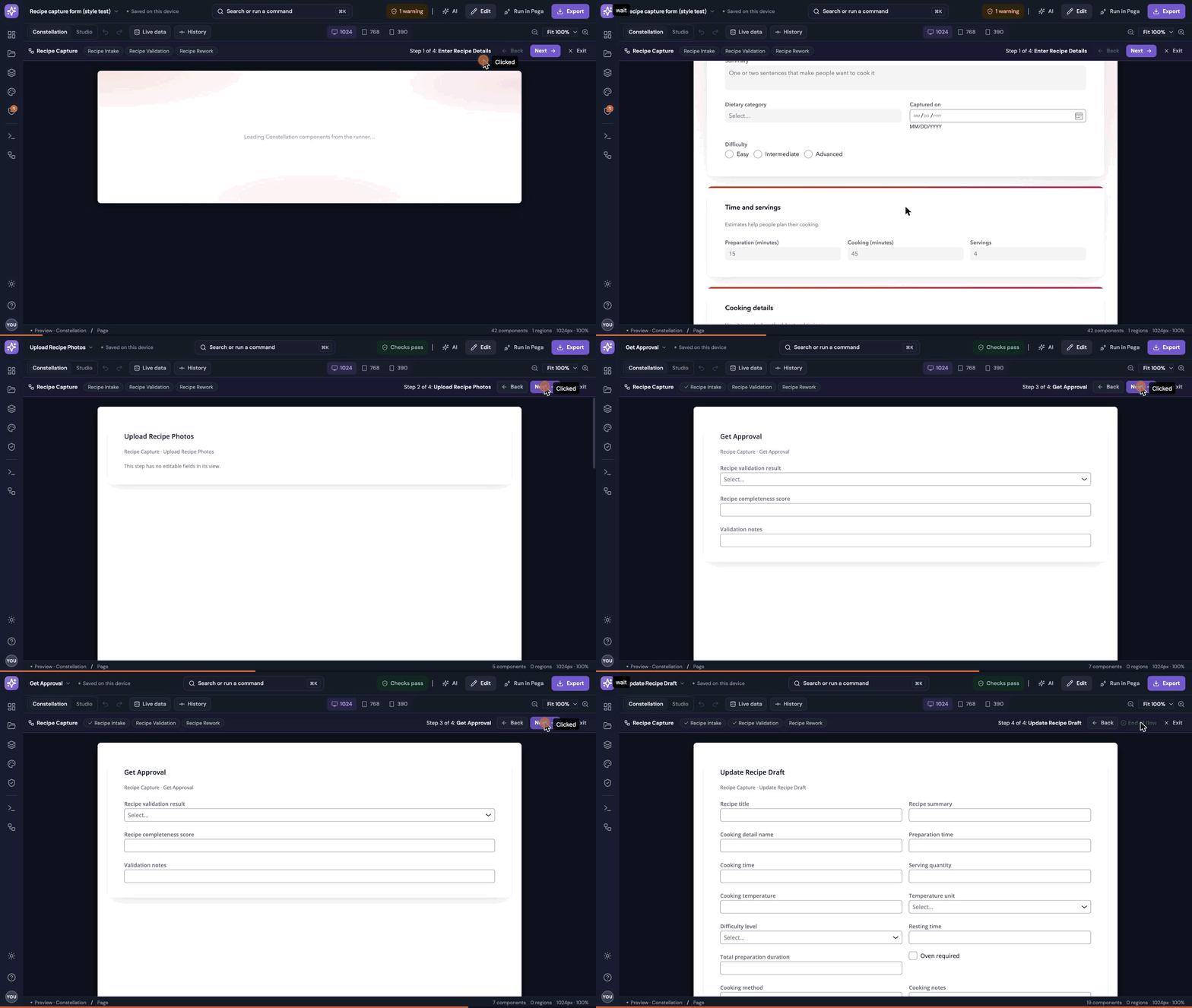
Under the hood: each step remembers its flow action ID and view ID from the recording. Later, Run in Pega, publishing and the exported app match screens to Pega's assignments by flow action first, then view, then step name.
7. Real data
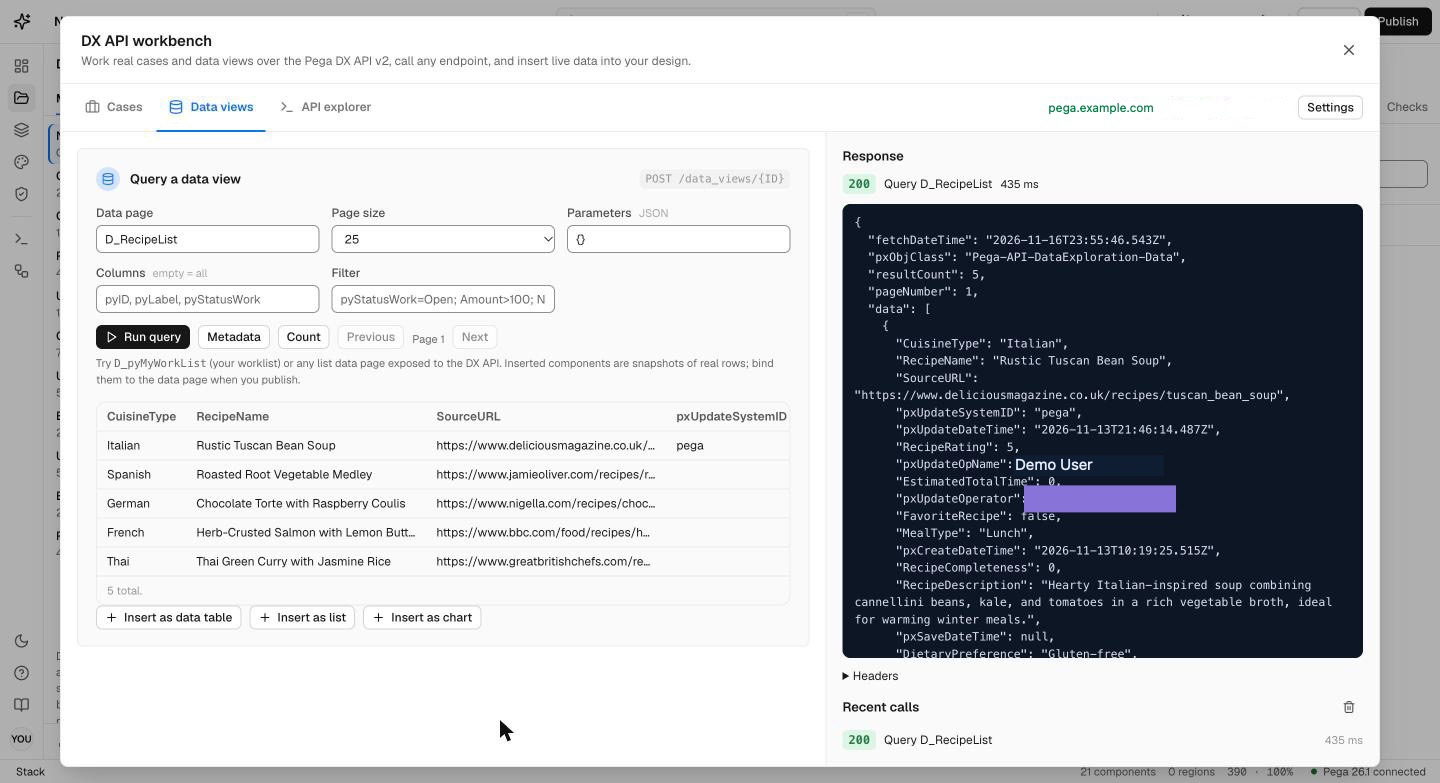
The cooks want to see recipes already captured while entering a new one, so they don't add a duplicate. Sam has that
list already: D_RecipeList.
Why. Real rows show problems that sample numbers hide.
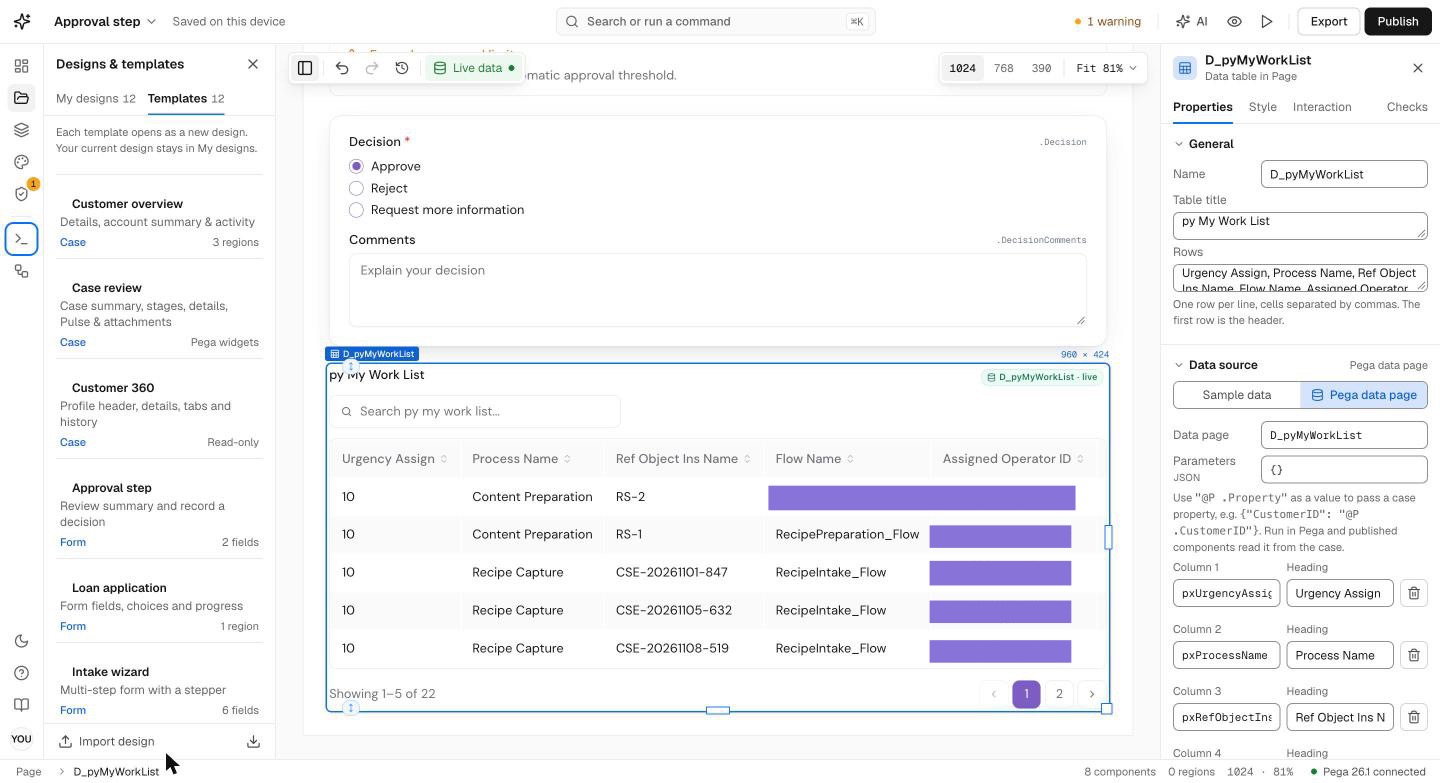
What. Tables, lists, charts, KPIs, timelines and to-do lists can be bound to a data page, with parameters,
including @P .Property values read from the open case. Live data shows real rows on the canvas. The DX
workbench explores cases and data views, and has an explorer for every catalogued endpoint.
How.
- DX workbench → Data views → query
D_RecipeList→ insert the rows as a bound table, list or chart. Or select a component and set Properties → Data source. - Turn on Live data.
Under the hood:
- On the canvas, bound components query
data_views/{ID}through the DX API.- In Pega (published components, Run in Pega) they call
PCore.getDataPageUtils().getDataAsync(dataPage, context, parameters), so the data page's own access rules apply.@P .Propertyresolves throughgetPConnect().getValue.- The API explorer covers 66 endpoints, with notes on what each one really does on 26.1. For example, a Pulse post needs the case key in
context, and saving a data record goes throughdata/{ID}becausePATCH data_viewsis 405.
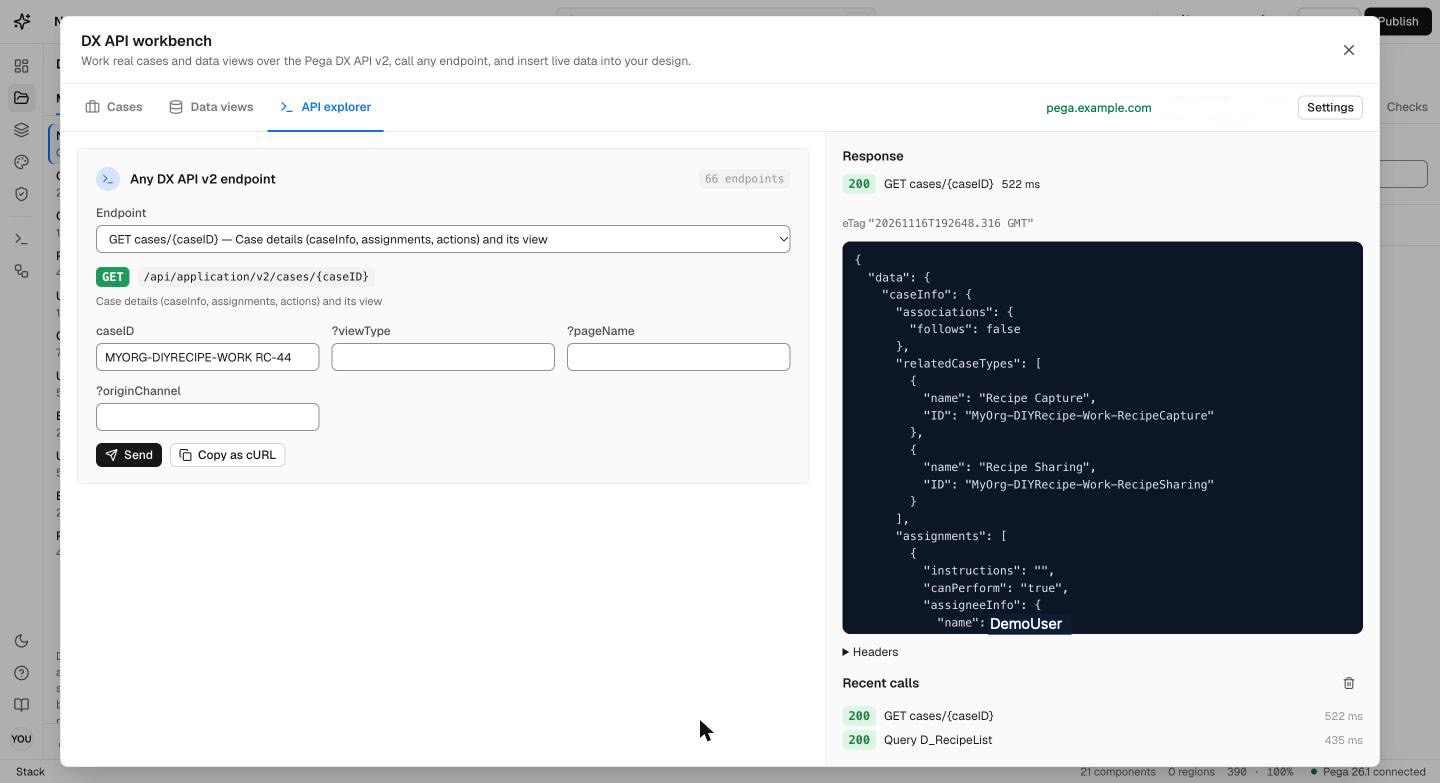
Endpoint list: DX API endpoint catalogue.
8. A real case before publishing
Sam won't publish anything that hasn't survived a real case.
Why. Validation, routing and stages only happen in Pega.
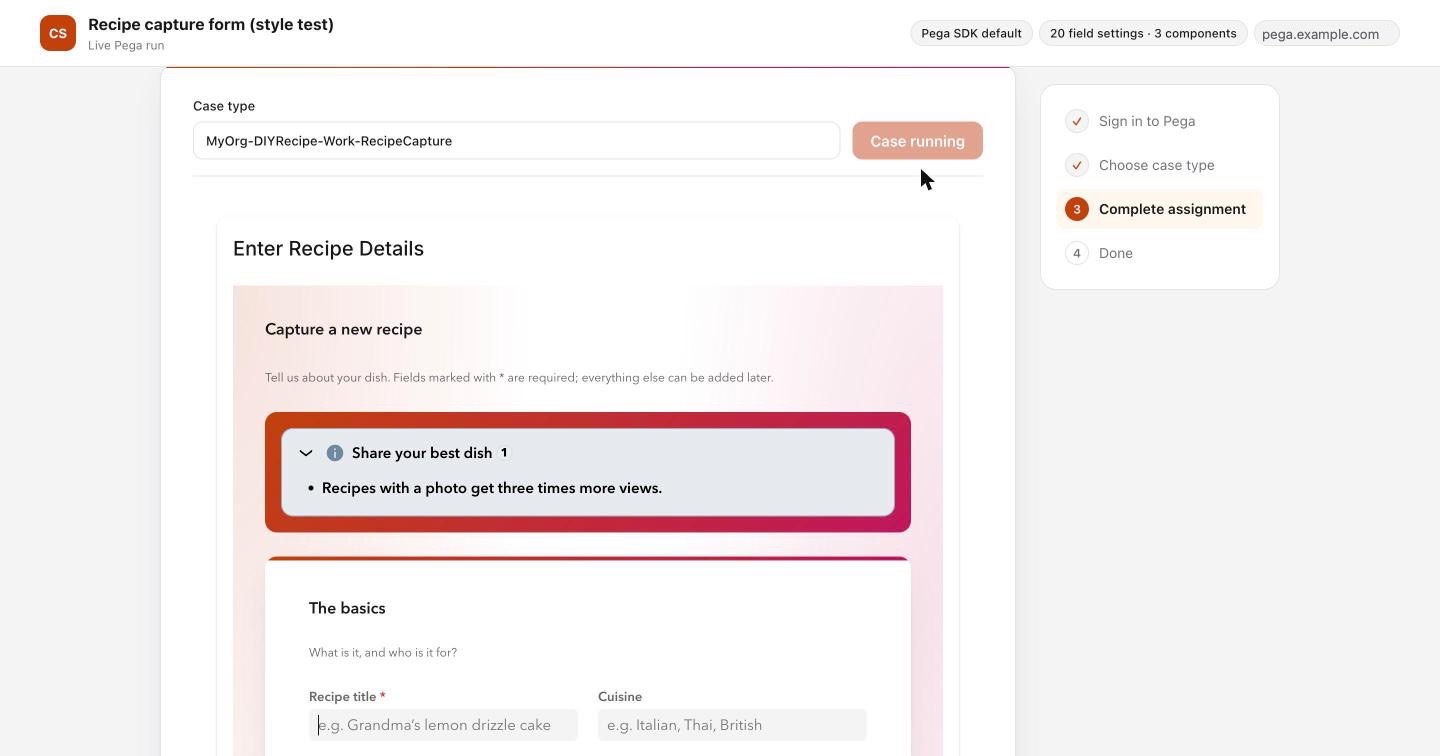
What. Run in Pega opens the runner: Pega's official React SDK (@pega/react-sdk-components) in its own
window. You sign in as yourself, and it creates or opens a real case drawn with your designs.
How.
- Once per server, add
https://constellation-runner-26.vercel.app/studio(or-25) as a redirect URI of the public OAuth client. - Run in Pega → sign in → work the case. Keep designing; switching back to the runner picks up the latest design.
Under the hood:
- The runner signs in with authorization code + PKCE.
- It replaces the SDK's
DefaultForm. When a step's fields match the design, the step is drawn in the design's layout, and the view's other children (a reference field, a list editor) go into the design's Pega region.- Values go back through
updateFieldValue, so Pega's own Submit sends them.- Templates you've published are drawn by their component name, as the portal will.
9. Putting it into Pega
It survived. Sam publishes.
Why. The goal is the standard Pega portal, with the new screens in it, owned by the application like any other rule.
What. Real Constellation custom components, published into your ruleset:
| Kind | From | In App Studio |
|---|---|---|
| View template (FORM) | A whole design | Template of a step's view |
| Field | One field | Display as for that property type |
| Widget (PAGE/CASE) | Static content, or one data-bound component | Landing page or Home region → Add → Widgets |
How: every screen of the flow.
- Case flows → Publish to Pega: each screen in use, with its checks.
- An unlocked ruleset in the stack, for example
CustomConstellation:01-01-01→ Publish all screens. - In App Studio, open each step's view → Edit → pick its template. Download templates + setup guide says which template goes with which step. Save a copy of the view first. On Pega 26.1, Set up in Pega (Publish → step 3) can make this change for you, in a branch; online it needs the setup helper running on your computer.
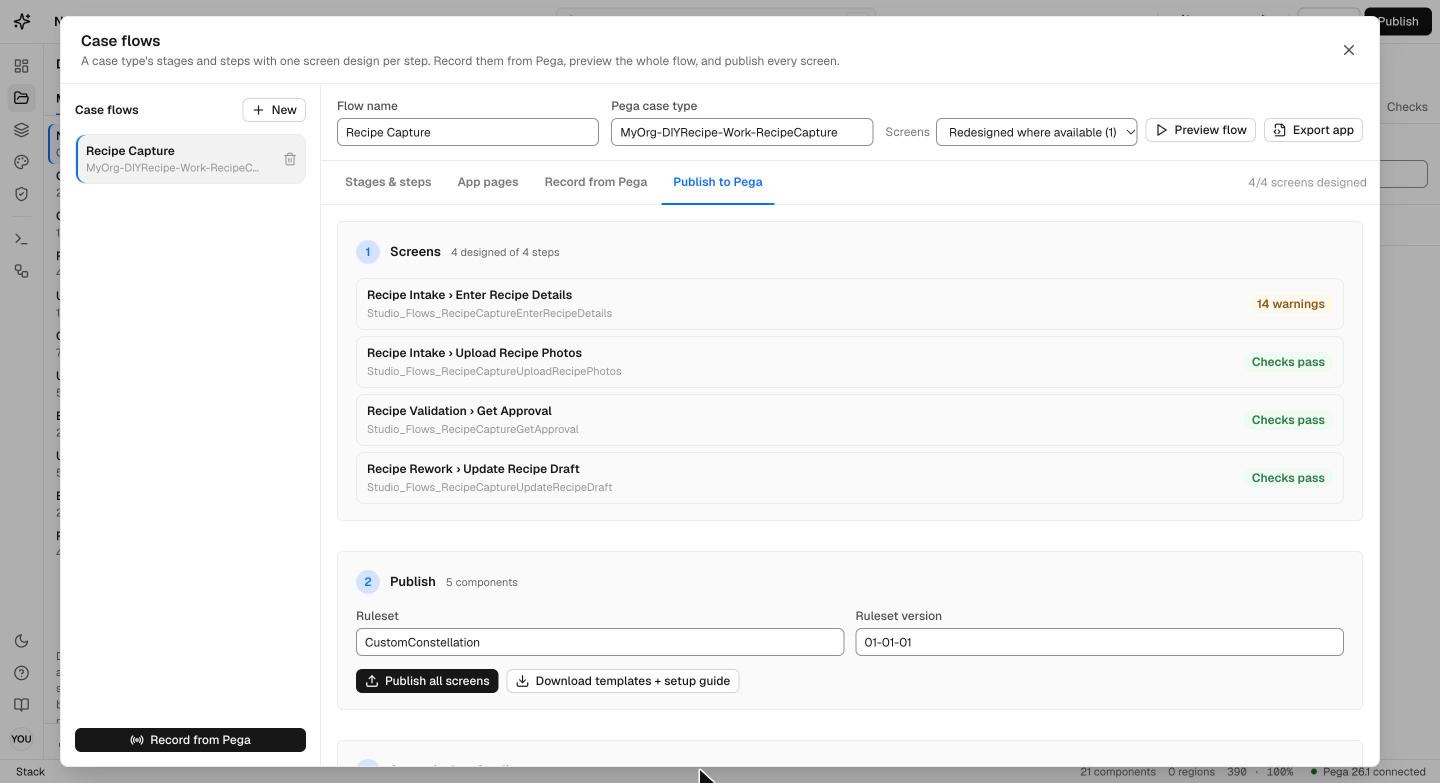
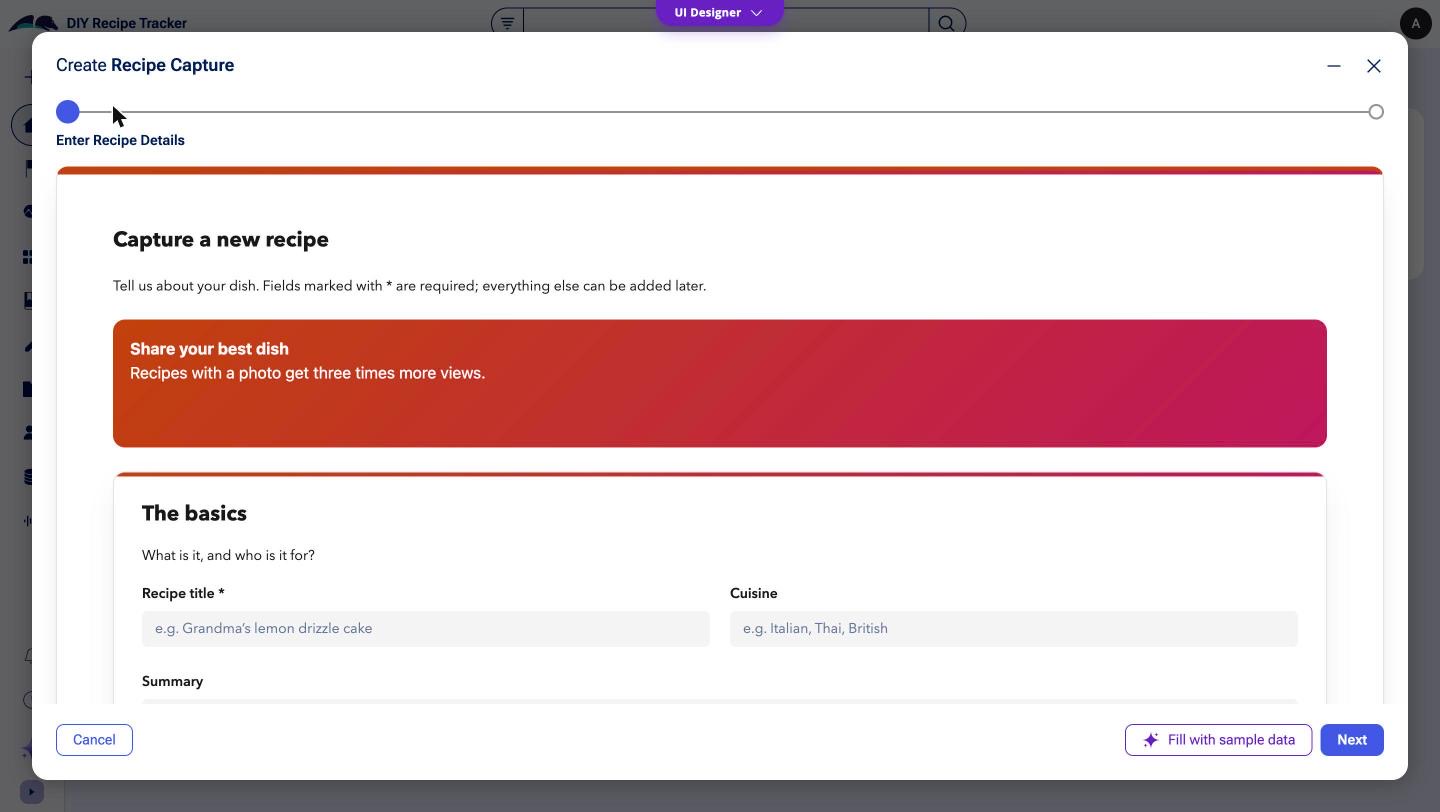
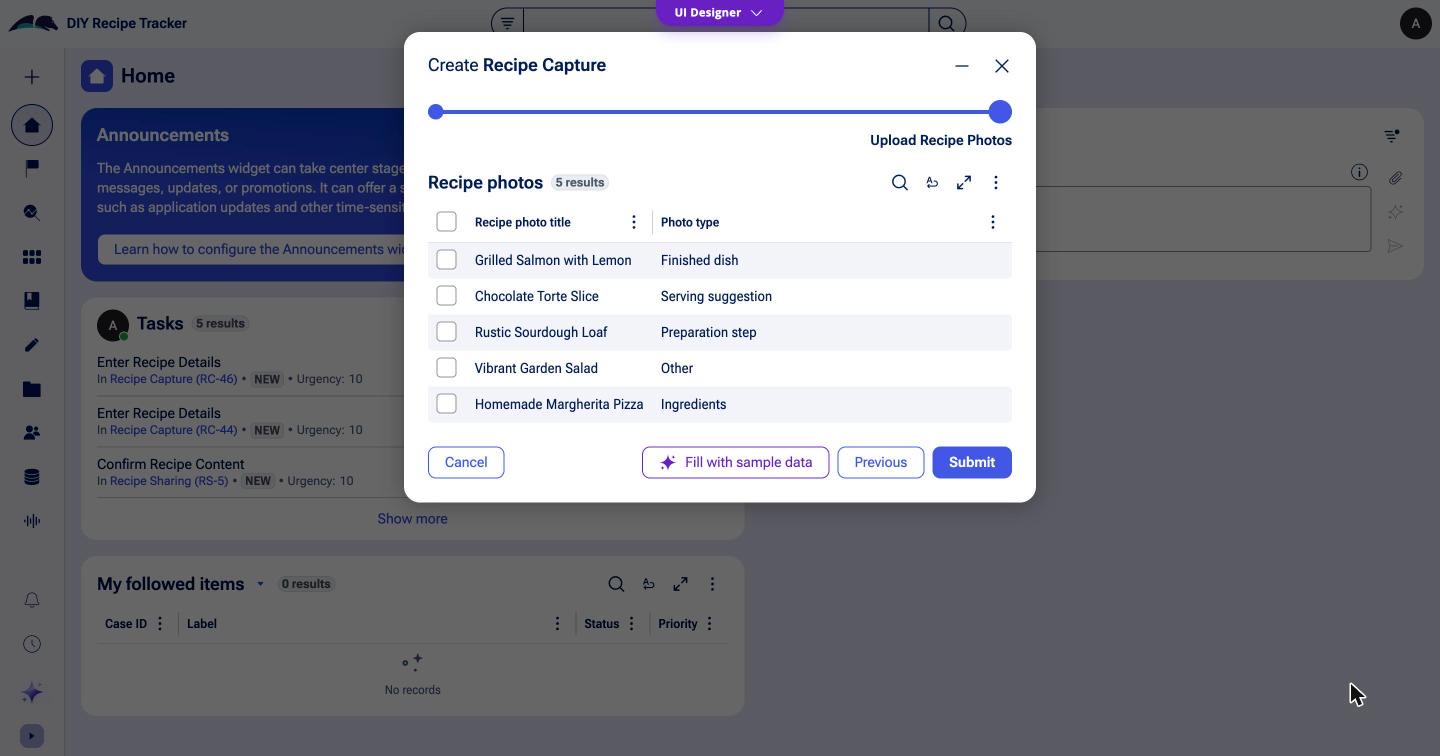
The next Recipe Capture case opens on Priya's screen. The steps nobody redesigned keep Pega's look, on purpose.
| Published design | Pega's default |
|---|---|
 |
 |
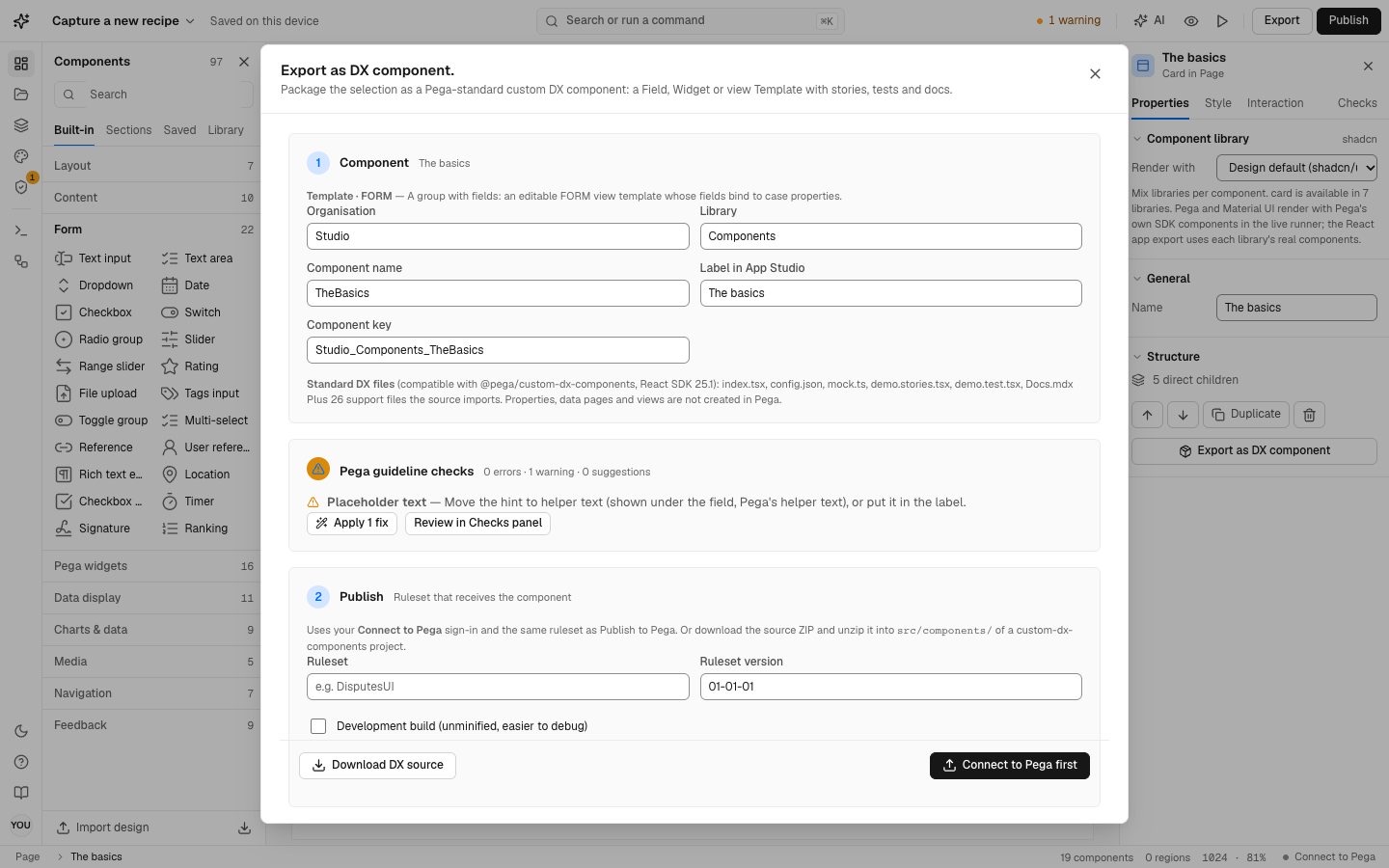
How: one component. Select it → Export as DX component. The dialog says what it becomes (Field · Text,
Widget · PAGE / CASE…), checks it and publishes it. Download DX source gives the same package as code: index.tsx,
config.json, a getPConnect mock, Storybook stories, a test and docs.
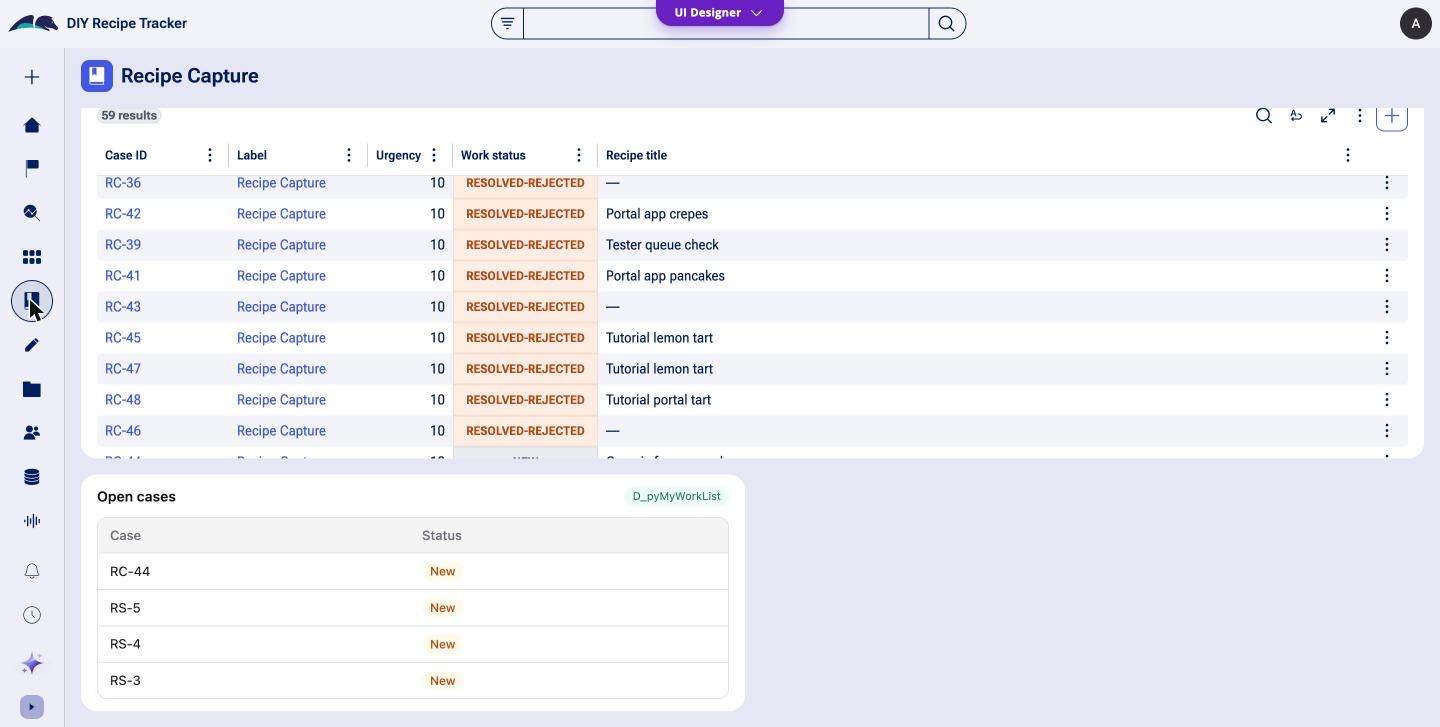
Sam adds one more: a table bound to D_pyMyWorkList, published as a Widget and placed on the Recipe Capture landing
page (Work Portal → the landing page → Region A → Add → Widgets). Each person sees their own open work, in a Cosmos
card beside Pega's own widgets.
Before: the full custom-dx-components loop from the prologue, per component, per change.
Under the hood:
- Components are bundled with Pega's own DX Component Builder and sent to
/prweb/PRRestService/dev/v1/publish_component, the publish service Pega's DX Component Builder itself uses.- Keys are
<Org>_<Library>_<Name>.- Package versions follow Pega's recommendation for your patch: Cosmos at the npm dist-tag
pega-26.1.1(orpega-25.1.3), React 18.3.1, styled-components 5.3.11, TypeScript 5.5.4. A component that would bundle React 19 (which leaves a blank space in Pega) is refused.- With Pega fields (the default), each field is Pega's own field placed in its region of the template and set with Pega's gear; with the older mode, fields write through
updateFieldValueand bind with@P .Propertytemplate settings.- Two Constellation facts worth knowing: widgets go in page regions, a case-page tab or the case's Utilities (where they open from the utility rail). And Pega keeps a component's
?v=address across republishes, so reload with the cache disabled to see a new version.
More: Publishing components.
10. A whole app on Pega
A few months later the recipe club wants its own site for cooks: its own menu, "my work", and a case page with the recipe, its history, comments, photos, tags and related recipes. Sam's condition: Pega still runs every case.
Why. A separate front end without a second back end: the life cycle, routing, rules, SLAs and history stay in the application Sam already maintains.
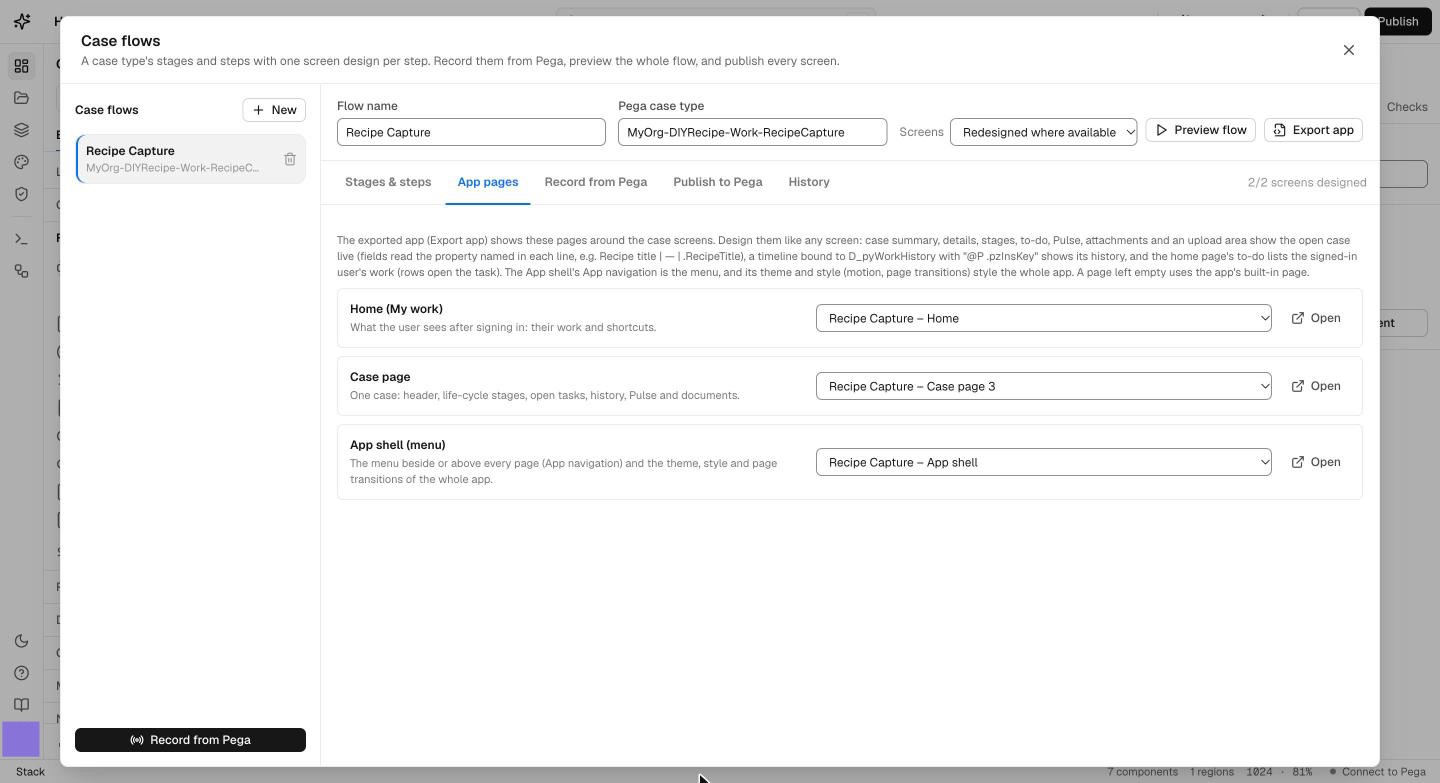
What. Case flows → Export app builds a React app for the case type, and every page is a studio design:
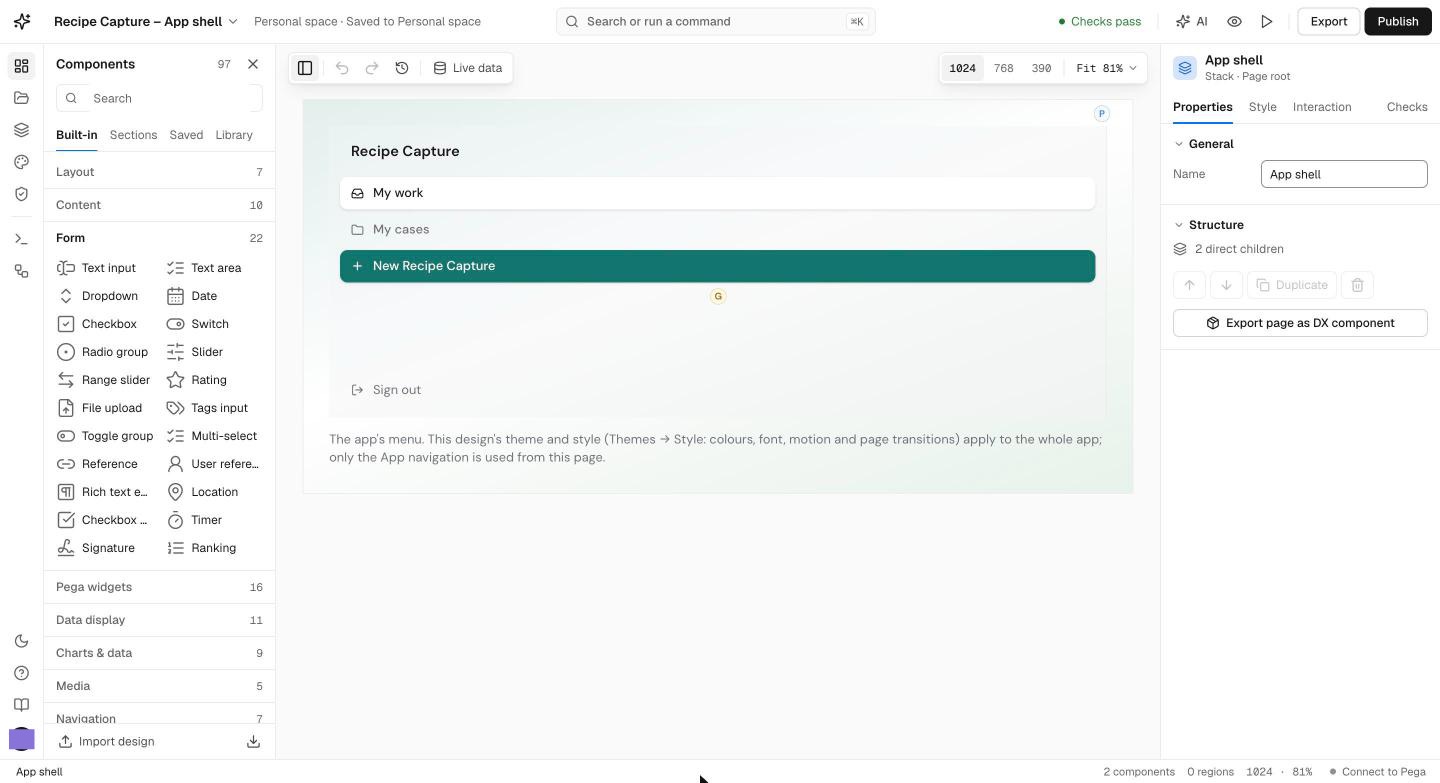
- App shell: the menu (the App navigation component), the theme and page transitions.
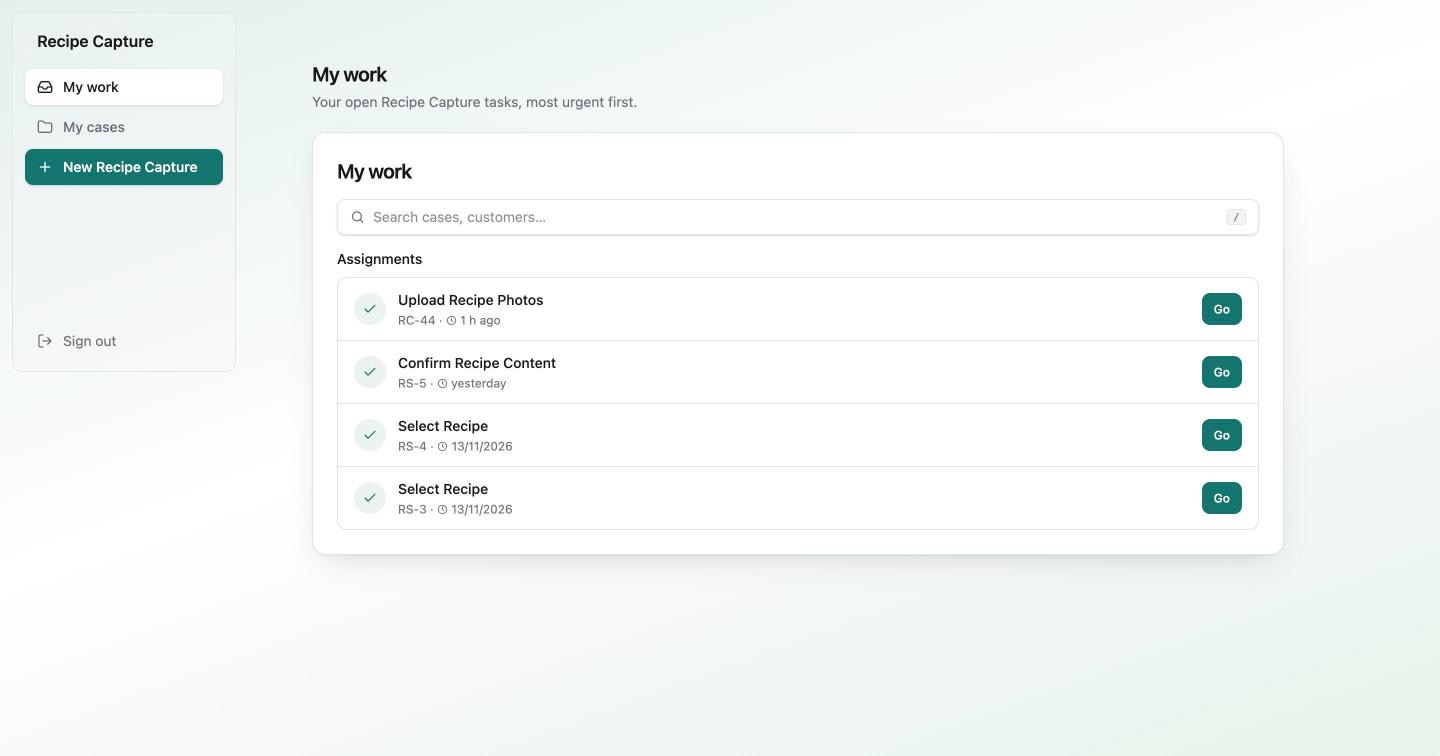
- Home: for example the person's assignments.
- Case page: case header, stages, details, open tasks, history, Pulse, documents, tags, related cases.
- Step screens: the designs of the case flow. Steps without one get a form generated from Pega's own view.
The case widgets are live against the open case:
| Widget | In the app | Through |
|---|---|---|
| Case summary, Details | The case's properties | cases/{ID}, plus D_<CaseType>List for properties outside the default view |
| Stages | The real life cycle | the case's stages |
| To-do | The person's assignments; each opens its step | D_pyMyWorkList, assignments/{ID} |
| Timeline | History | D_pyWorkHistory with @P .pzInsKey |
| Attachments, upload | List, download, attach | attachments, attachments/upload |
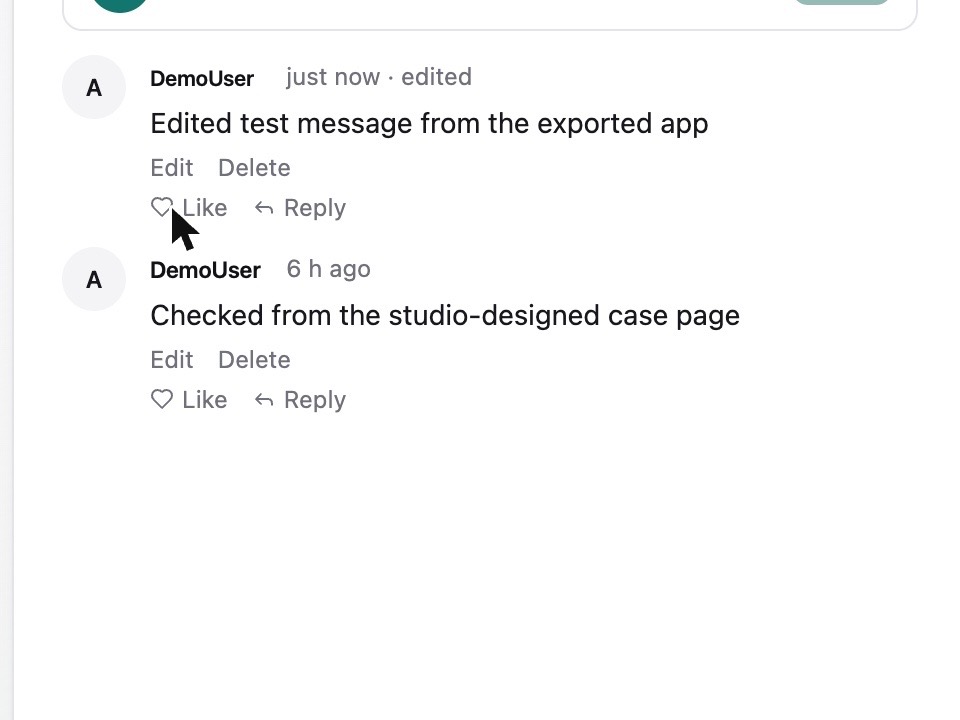
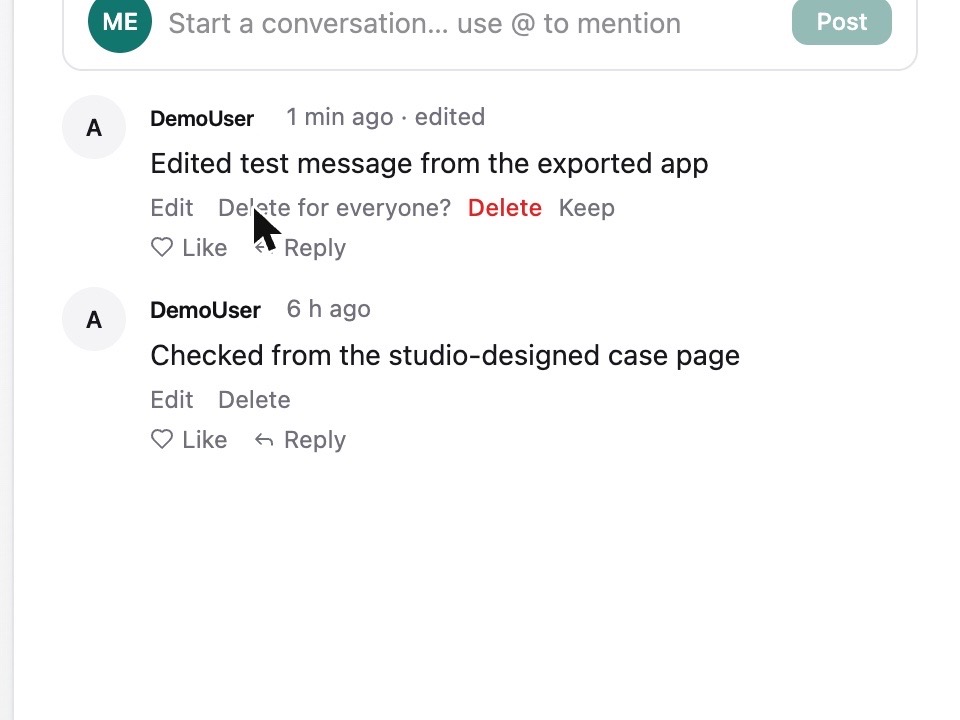
| Pulse | Post, reply, like, @mention, edit and delete your own | messages, messages/{ID}/likes, mentions |
| Follow | Follow or unfollow | cases/{ID}/followers |
| Tags | Add and remove | cases/{ID}/tags (removed by tagKey) |
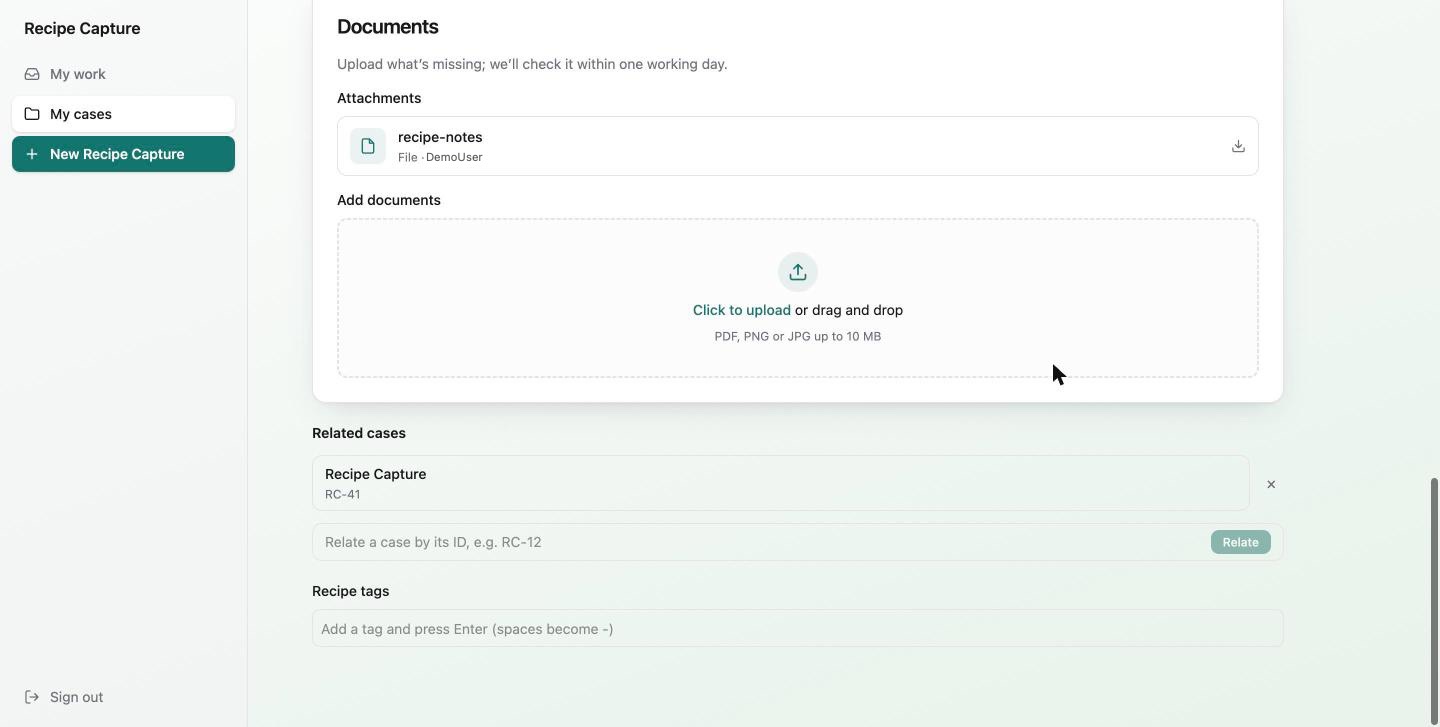
| Related cases | List, open, relate, unrelate | cases/{ID}/related_cases |
How.
- Case flows → App pages: create the Home, Case page and App shell from the starters, or pick existing designs.
- Design the shell. Every page and step screen of the app is drawn on the canvas with the shell's theme, as the app shows it.
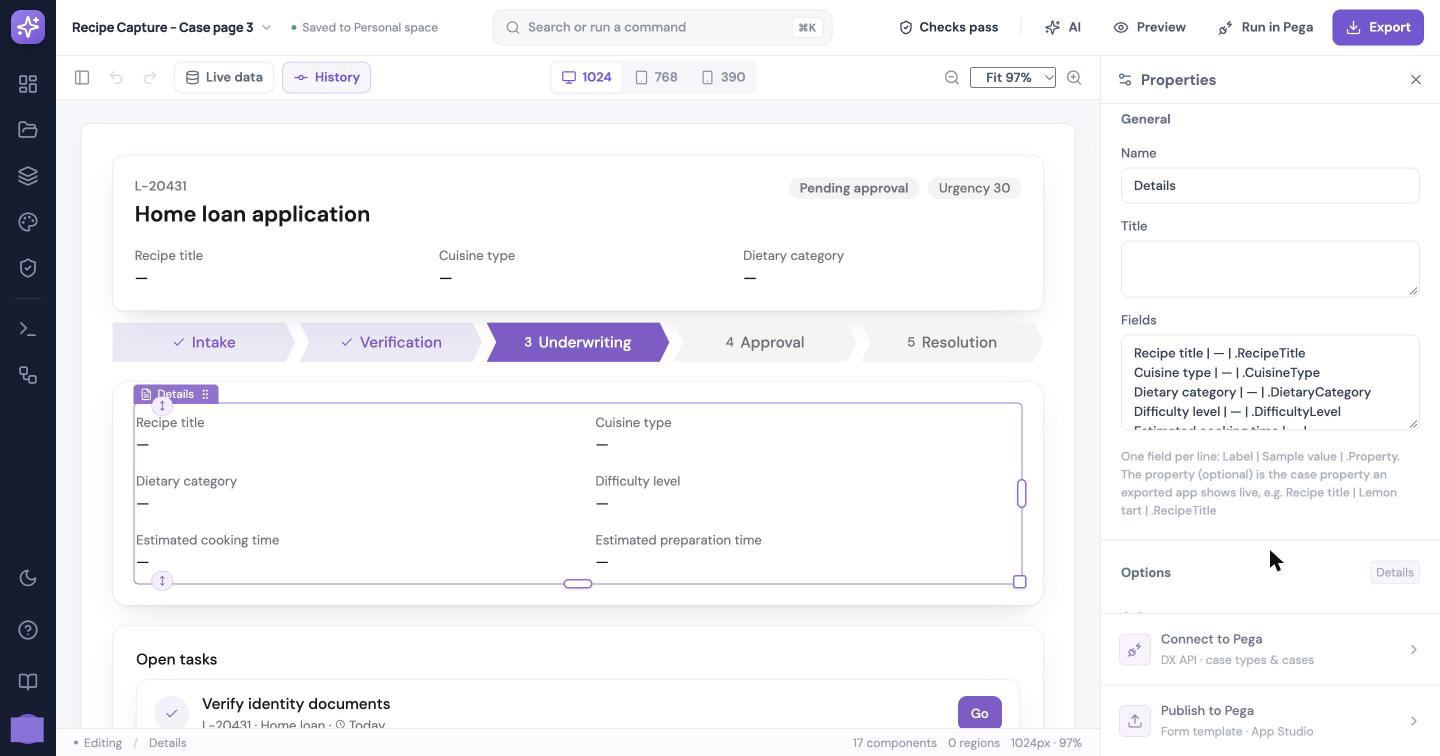
- On the Case page, give each summary or details line its property:
Recipe title | Sample | .RecipeTitle.
- Export app → Download .zip. It's your code:
npm install, set your Pega server and public OAuth client in.env.local, start it, sign in with Pega. The README in the ZIP has the steps.
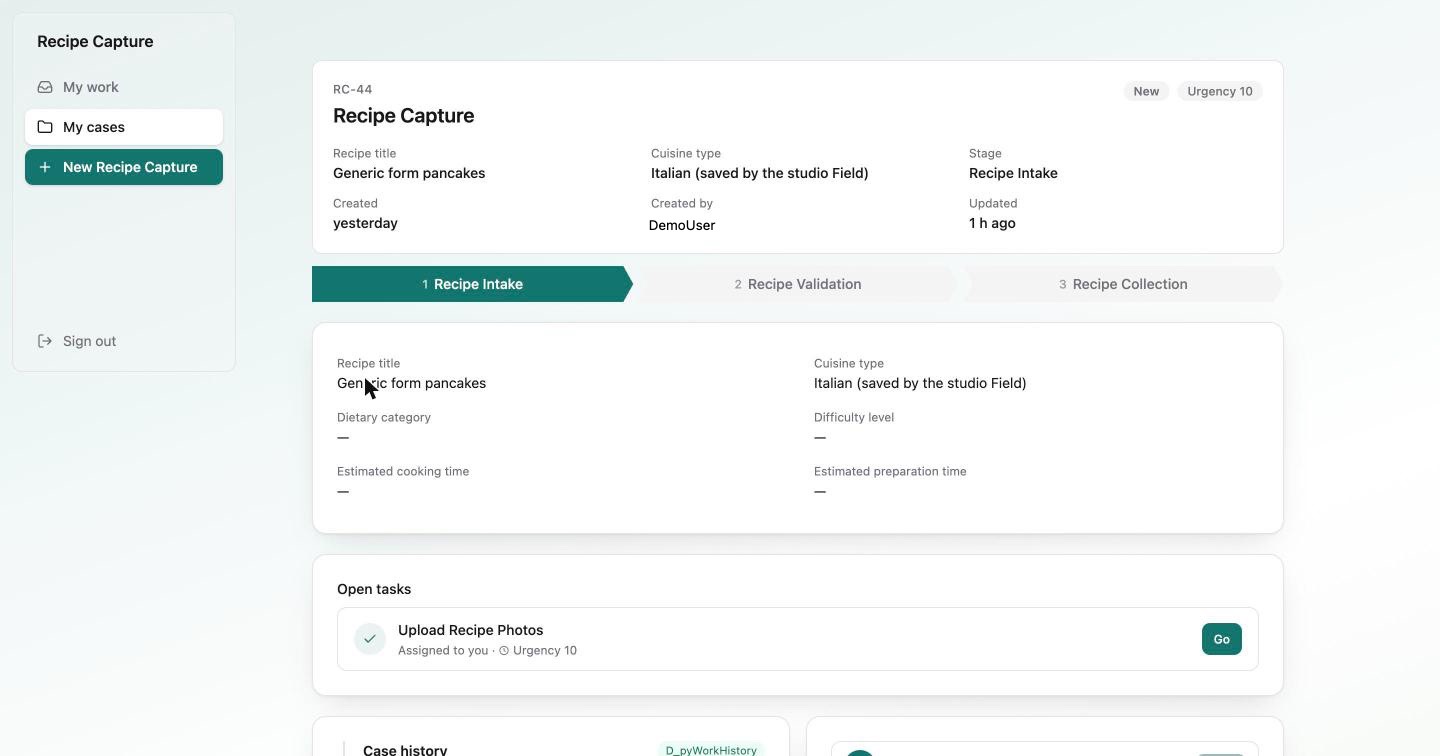
| Pulse: an edited message | Pulse: deleting asks first |
|---|---|
 |
 |
Relating two recipes fails at first with Pega's own message, "Case type is not related". Sam knows that one: case type → Settings → Related case types, add Recipe Capture and Recipe Sharing, save. Relating works from then on.
Before: a hand-built React front end against the DX API, with PKCE sign-in, eTags, 207 multi-status answers, Pulse's
contextrules and the tag-key quirk all discovered the hard way.Under the hood:
- The exported app signs in with authorization code + PKCE and calls the DX API v2 through a small proxy.
- It sends Pega's
eTagasIf-Matchwhere Pega requires it (submitting an assignment) and reads 207 answers item by item, so a refused tag or relation shows Pega's own message.- Mentions are written as
@<operator ID>, which Pega turns into a notification.
Full walkthrough: Tutorial: a whole app on Pega and Exports.
11. Designing with AI
A new case type, Recipe Sharing, needs screens. Priya describes the first one in a sentence, and Sam asks for a change in another.
Why. A first draft in a minute, and changes made by saying what you want.
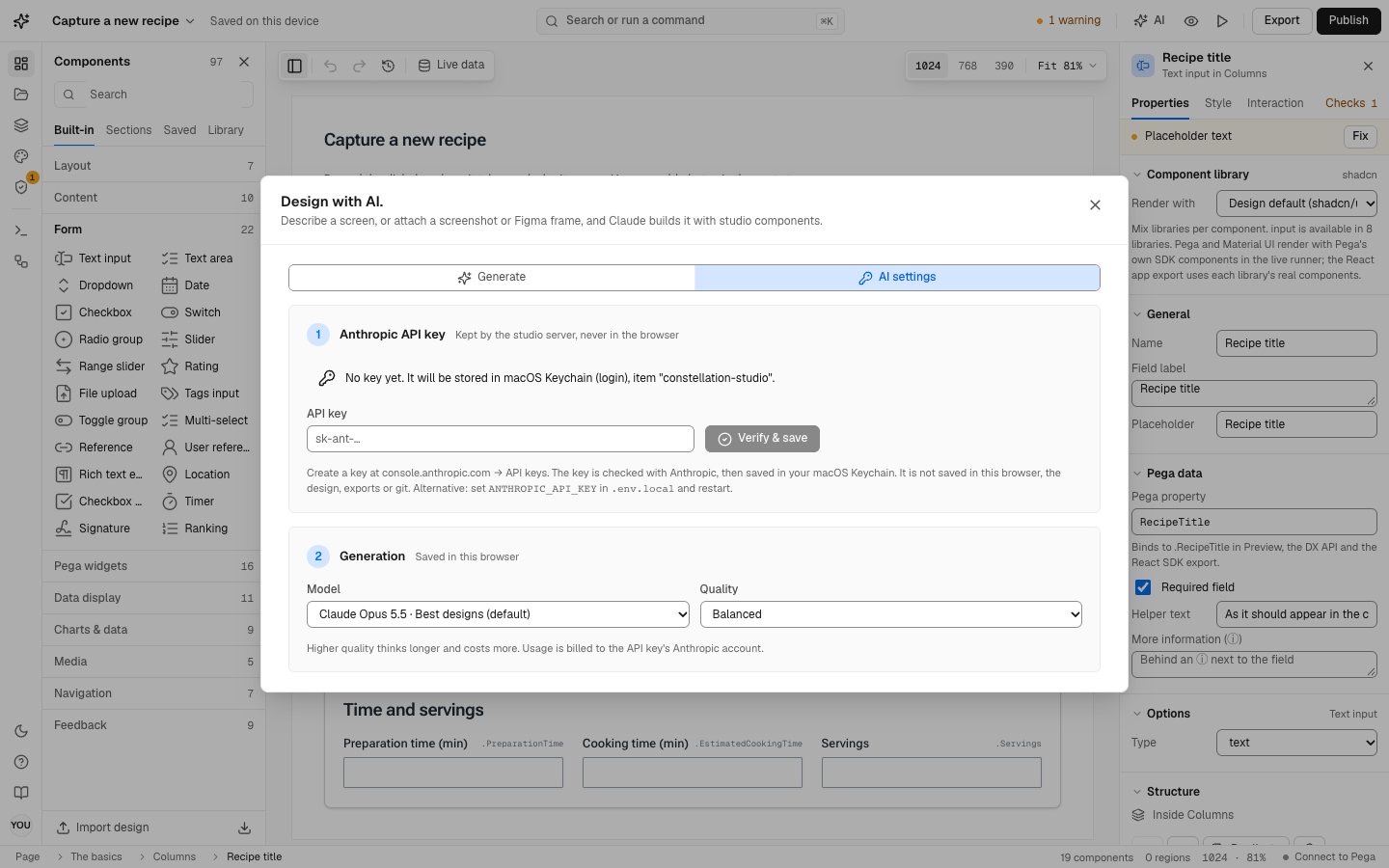
What. AI uses Claude with your own Anthropic key, in four ways:
- a new design from a description;
- add a section to the open design;
- a design from a screenshot or Figma frame;
- change this design by instruction, keeping bindings, colours and positions; one Undo reverts it.
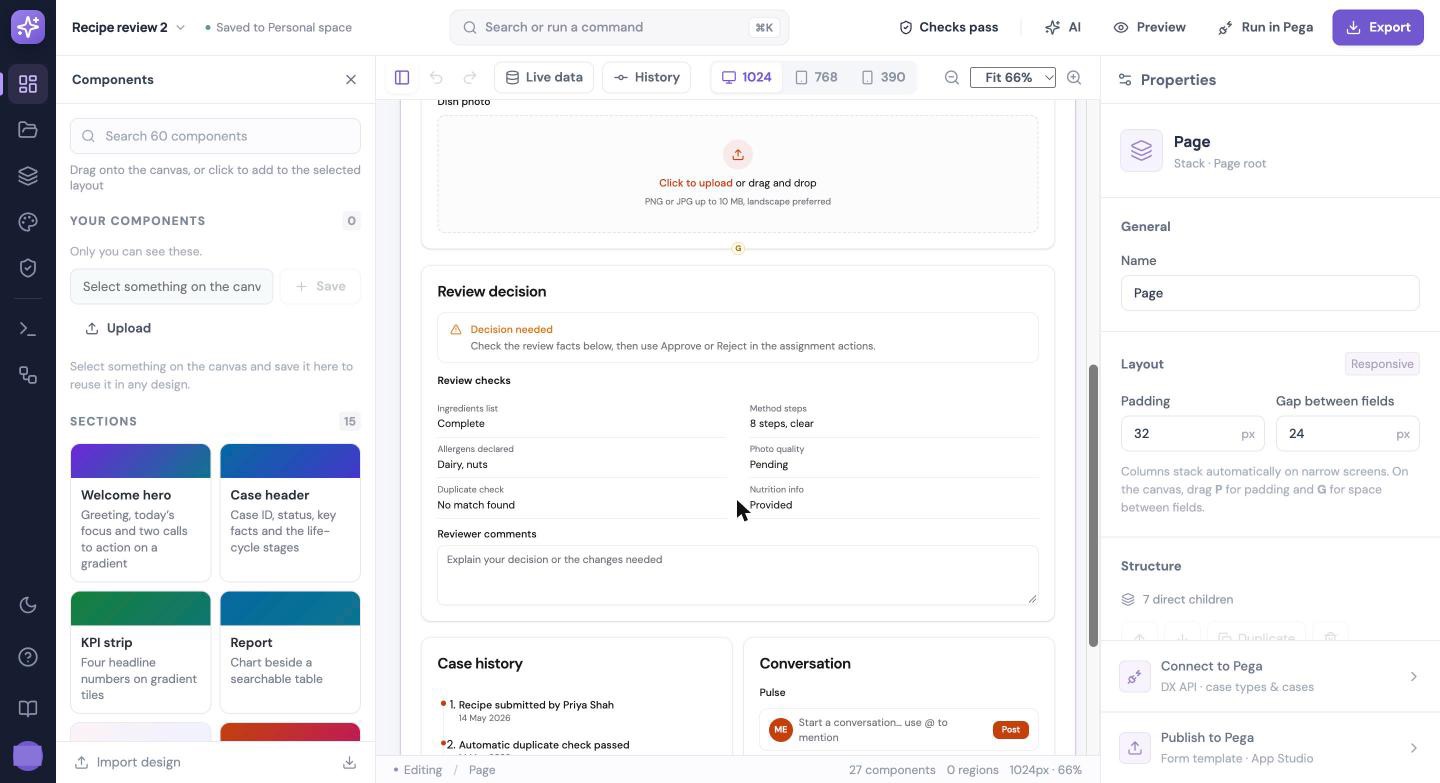
Under the hood: the AI is given Pega's guideline rules up front. Every result runs through the same checks as a hand-made design, and errors with an automatic fix are fixed before you see it. A first draft that tried Approve/Reject buttons came back as a Pega-style decision panel.
How. AI settings → paste your key → Verify & save (stored encrypted for your account; usage is billed to your key) → describe → Generate.
12. Other ways out
Another team only wants code to start from.
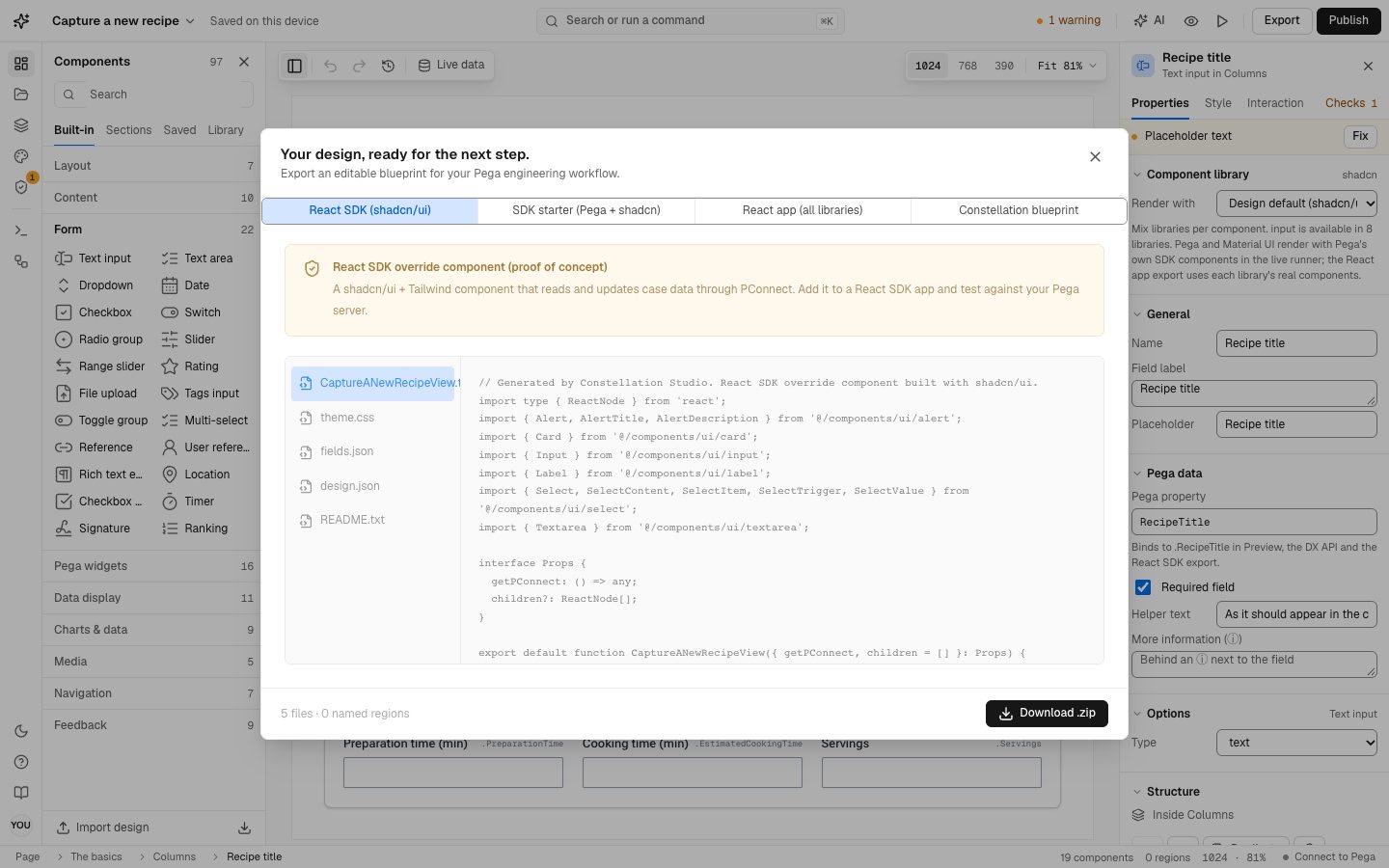
What. Export offers:
- a runnable React app with real components from eight UI libraries;
- a React SDK component and an SDK starter for Pega's React SDK;
- a Constellation blueprint.
13. Working as a team
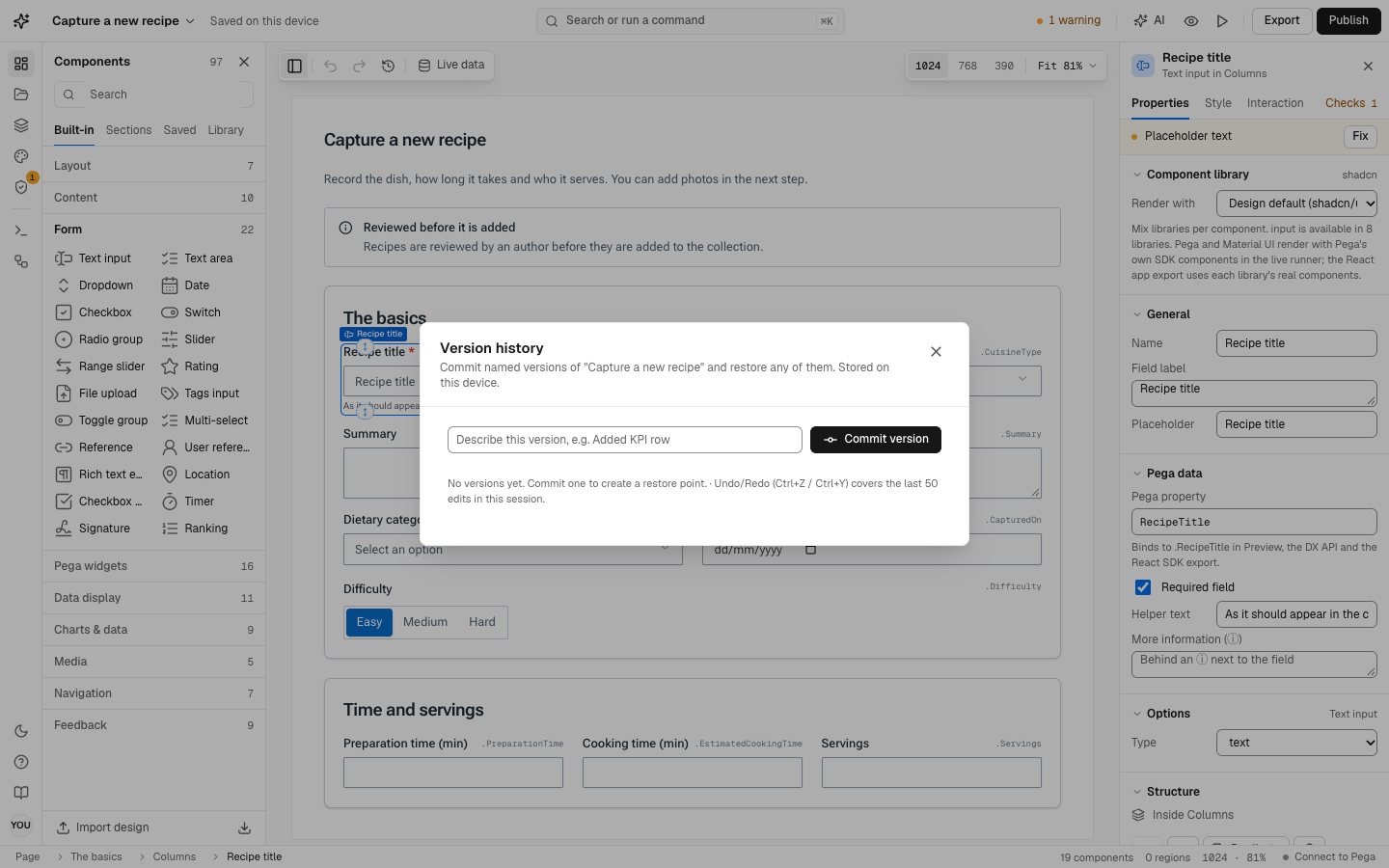
Sam and Priya often edit on the same day. Once, an experiment went wrong; a version from that morning brought the screen back.
What.
- Spaces for personal and team work.
- Edit locks: while one person edits, others see it read-only.
- History of every change; Ctrl/⌘+S names a version, and any version can be restored.
- Trash for 30 days.
- Your components: save a component or section once and reuse it across the space.
Epilogue: what is proven, and what is not
Where Sam's story stands:
- The cooks enter recipes on Priya's screens inside the Pega portal.
- The club runs its own site on the same application.
- When a screen needs to change, it changes in the studio and is published or exported again.
Sam never opened the custom-dx-components CLI, and never wrote a line of React.
Everything above was done against a real Pega Infinity 26.1.1 server with this application:
- recording, including approvals, alternate stages and parallel processes;
- Run in Pega;
- publishing view templates, Fields and Widgets and seeing them in the portal;
- a live data widget on a landing page;
- the exported app with every case widget;
- every way of using AI assist.
Connect, Record and Run in Pega were also checked on 25.1.3, and 25.1 builds and tests run on every change.
Limits:
- The online studio calls Pega from the internet. A server only reachable inside a company network needs the studio run inside it.
- Constellation still decides where custom components can go (page regions, yes; the Utilities pane, no). See Publishing.
- Recording follows what the recording operator may do; work waiting for someone else is reported, not performed.
Next: Pega-side setup, Troubleshooting.